



Bulldog Designs
Members
-
Joined
-
Last visited
Everything posted by Bulldog Designs
-
The lotus was a fleet car that failed every test but the mustang passed everything but the high speed test which is when you accelerate to 150 and hold it and slam on the brakes but the transmission over heated in 2.5 seconds doing 130 so they told ford and they were trying to fix the problem and if they do the cars are guaranteed highway patrol cars because they handle exceptionally
-
Yeah its the old style lightbar (mx7000) that they use on that year model but i will be making the newer model with the rx2700 and the yellow and red stripes. Thanks for the compliment
-
So guys i've decided i will only specialize in making Australian Fire and Ambulance models i have a nsw polair helicopter to release soon so keep posted but after that i will just be doing Fire and Ambos p.s. here is my nearly finished NSW RFS Group Officer Toyota Camry
-
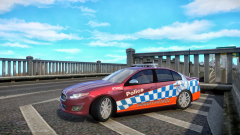 Those little lights on the number plate are Victorian police lights not nsw so it wont be placed on a nsw car SCstJacob likes to keep the models as real as posible to the actual thing which being a nsw police highway patrol car.. also dude could you map those back side windows so we can get the logo on the window then itll be perfect :P
 -
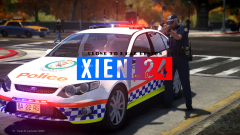 Um WA, NSW and Qld wot....
 -
I came up with a good idea for LCPDFR If you could use police tape to block the public off from a certain area like the real police do all over the world. Thanks ~Bulldogs11991
-
Can someone help me im in need of this helicopter for my game to complete my emergency vehicles from Nsw Australia and i am missing this model and i am desperate for one of the NSW Police PolAir Helicopters.


