


Daftpunk1983
Members
-
Joined
-
Last visited
Everything posted by Daftpunk1983
-
-
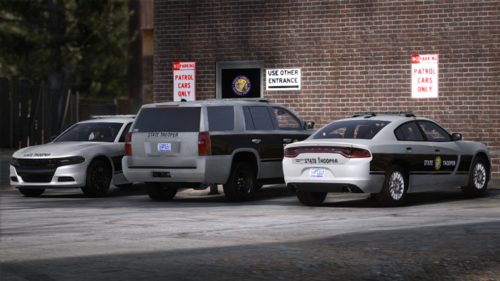 As a person living in NC i really enjoy that someone has done this pack. Well done.
- 54 comments
- 4 reviews
-
Thats correct! ill look at it. There isnt a plugin crash here, so try to rename your mods folder to _mods and see if you can play without the crash.
-
Your crash is from a car model that you changed, it looks to have become corupted. i would suggest reinstaling your car mods/police vehicles
-
1. Go into your lspdfr.ini file and set Main.PreloadAllModels to false. If you still get texture loss try: 1. Removing any high poly vehicles. Anything above 200,000 may cause you issues. 2. Downgrade any 4K textures 3. Lowering your texture quality in the GTAV settings.
-
The file is in your MAIN GTAV directory, called ragepluginhooklog. Not in any other folder. just a text document
-
You can try these as well: 1. Check if the game loads without RAGE. If it doesn't you may have an issue with your game files/mods folder. Revert your previous game file changes with OpenIV. Prior to doing this make sure GTAV is updated 2. If it loads succesfully in story mode you are most likely having a LSPDFR issue. Make sure you don't have outdated plugins and do the following: 1. Access the RAGE settings either hold Shift while opening RAGE or click the gears icon on the splash screen 2. Increase your Plugin Timeout Threshold to 60,000 - DO NOT set it higher as 60,000 is the maximum value
-
I help Charlie with helping others alot with LSPDFR issues, and i gotta say this, its been said alot here, but almost EVERY issue i come across can be googled and answered from a topic already posted. Posted 20 hours ago I just noticed this.... You posted both of these in the same hour. LSPDFR support is not a paid spot, so they wont be on 24/7 to assist with issues, dont know why you would think a community is dying because you didnt get an answer in the first hour. Sorry if this comes off harsh.
-
-
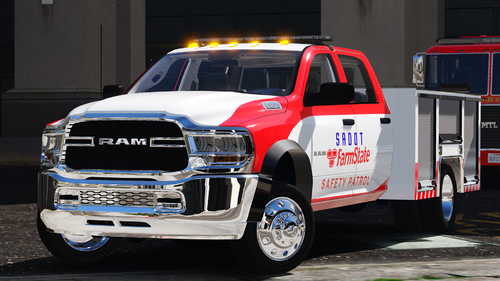 I love this devs work, GREAT JOB!
 -
All weapons will crash you.
-
After tthe update, if you had a graphics mod, that is why it no longer works, reinstal your graphics mod and should work fine.
-
From what i have seen after investigating this, ive tried with graphics mods and without, the issue lies with ELS itself, Check the link to ELS and see if the publisher has posted anything in the comments about an update. If not, there are other options you could try such as using NON els cars or even dynamic lighting system.
-
-
I just tried this as well, and i may be able to help, what graphics mod do you use in game? EDIT: NVM i just broke my game trying to trouble shoot yours. lol
-
 This is awesome!
 -
-
i spent all weekend trying to get it sorted, will have to wait until next sunday to do again, work too much during the week
-
Operating System Windows 10 Home 64-bit CPU Intel Core i7 4790K @ 4.00GHz 54 °C Haswell 22nm Technology RAM 24.0GB Dual-Channel DDR3 @ 666MHz (9-9-9-24) Motherboard MSI Z97S SLI Krait Edition (MS-7922) (SOCKET 0) 33 °C Graphics K242HL (1920x1080@60Hz) GN246HL (1920x1080@60Hz) 2047MB NVIDIA GeForce GTX 1660 Ti (MSI) 55 °C Storage 223GB PNY CS1311 240GB SSD (SSD) 30 °C 931GB TOSHIBA DT01ACA100 (SATA) 31 °C Optical Drives HL-DT-ST BDDVDRW UH12NS30 Audio NVIDIA Virtual Audio Device (Wave Extensible) (WDM)
-
Yikes. stilll crashing.
-
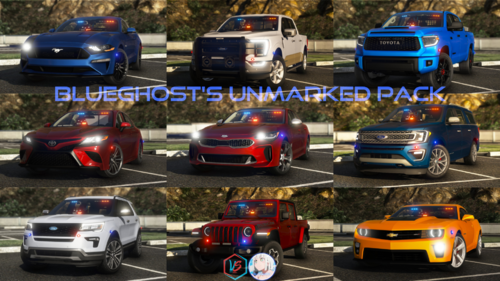
I was using BlueGhosts 35 pack for a week, but i kept having crashes, so im looking for a smaller unmarked pack, with a crown vic, a explorer, tahoe and maybe 2 or 3 other cars. MUST be ADDON. Any suggestions? i think im on page 35 already and have not really seen anything big that catches my eye.
-
Okay, on to testing now that the 35 car pack is gone Took 3 callouts and game never crashed. Looks like between the outdated plugins, which we fixed, and lspdfr, fixed, it turned out to be the unmarked addon pack.
-
Most recent was the unmarked addon pack by blueghost. Ill try removing that. Nope, this happened right after i walked outside the police station. Must be the EUP? Sidenote, i think i didnt get rid of all the pack for the cars..... gonna try to find the DLC file
-
No crashes. And ive done 2 callouts, so that makes 2 more than before. spoke too soon! lol, 3rd call out.
-
Yup all in, now try with mods folder back to mods. Let you know in a few minutes I have double on duty menus, yikes!
-
I do for a MASSIVE unamrked addon pack. But to be honest, i dont remember where they are or how i did it, i followed a youtube guide, and it worked fine for a few days



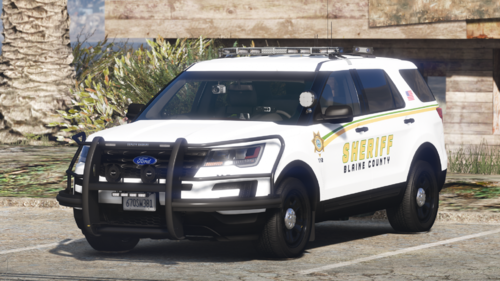


.png.ad48d29b1ccb5e2f3197e83a790d78d5.png)
.png.985588153a037749876fad88af799779.png)