



Flari
Members
-
Joined
-
Last visited
Files posted by Flari
-
This is my little Paleto Bay Police Department Pack, it's not really based on any real department, but I think the design works well for a smaller department like Paleto Bay.
The CVPI (F5544) is the older patrol car, still used in limited capacity by the department, especially as citizen patrol.
The 2016 FPIU (TheHurk) is the new and fancy patrol car, it comes as regular patrol and as K9 version.
I will try to add additional vehicles to this pack in the future, maybe even EMS and Fire!
- 111 Downloads
- 3 Comments
Submitted -
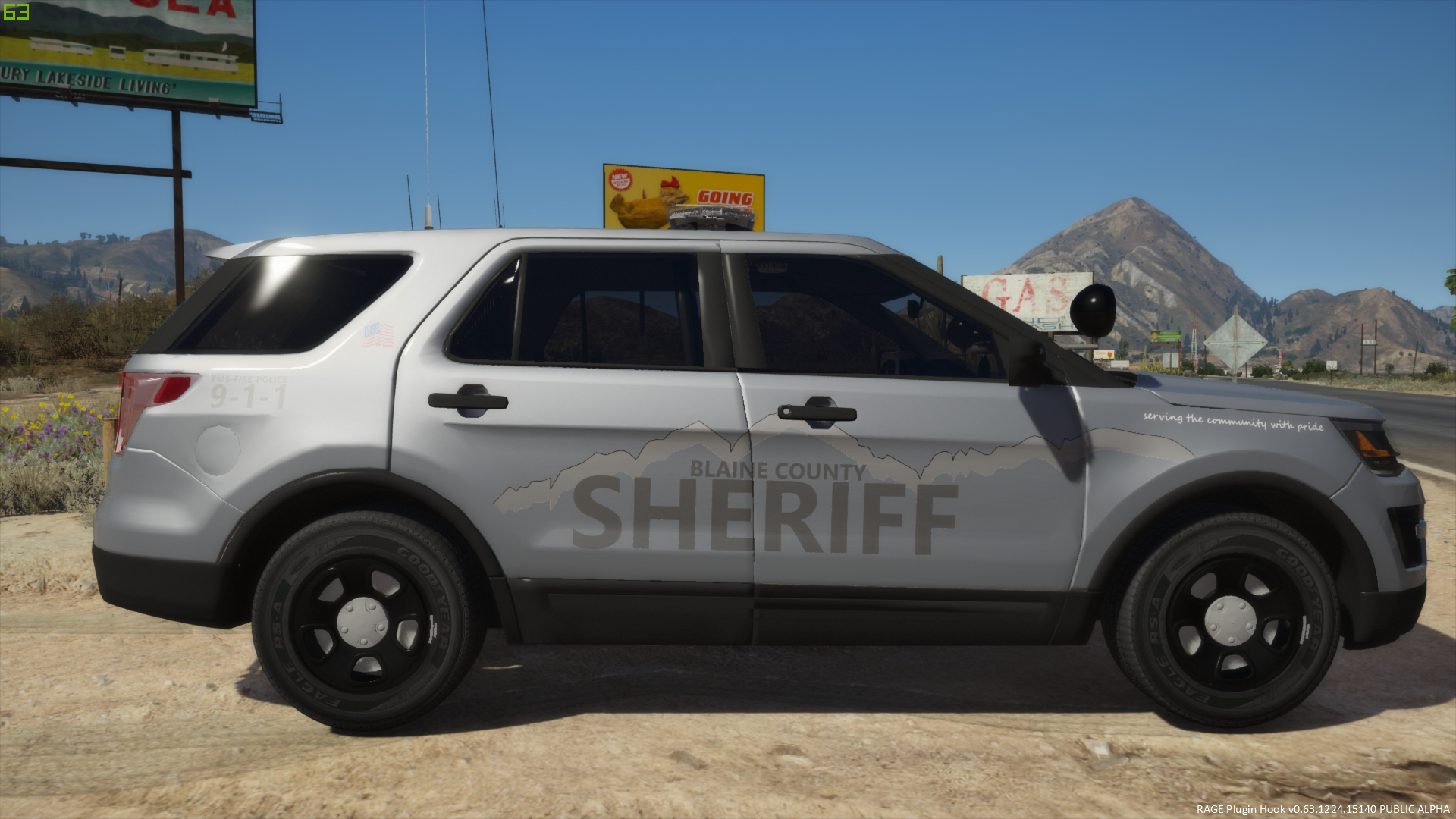
This is the BETA! Version of my BCSO Texture Pack
The Pack is based on well.... my imagination.
The Vehicles (or Vehicle atm) should be used with a white or silver base color although you've to find out for yourself what the best color for your Vehicle is.
I suggest using an all blue Light Setup.
The next Vehicle will most likely be a Explorer or a Tahoe... but I'm always open for suggestions (Only Vehicles with templates please)
At this point the Pack only includes Textures for F5544s awesome CVPI.
Credits and thanks:
F5544 for his awesome CVPI
CJ24 for the Template used
lonestranger for his Texturing tutorial
Coffee for keeping me awake
- 67 Downloads
Updated


