ErinLindsay
Members
-
Joined
-
Last visited
Everything posted by ErinLindsay
-
 Me niether, but its low poly ;)
 -
Equipment that can be placed anywhere you choose, on any vehicle! HAPPY MODDING! :thumbsup:
- 5 comments
- 1 review
-
From the album: Vertex3d's Scratch Made Parts
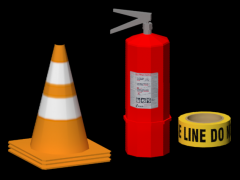
Cones and Fire Ext from Sketchup, textures by me! 756 polys Release or no? Too late: -
A little some thing for you guys to enjoy unlocked! *For any vehicle! HAPPY MODDING!
- 4 comments
- 1 review
-
From the album: Vertex3d's Scratch Made Parts
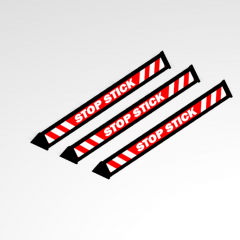
[DEV] Stop Sticks coming soon! 100 polys (more or less) -
-

From the album: 3D Renders
UV Mapping added next to the buttons! -
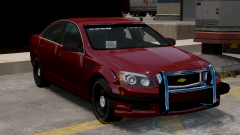 Well, the rambar I made is set to mesh...
 -
If you need help PM me!
-
From the album: 3D Renders
:) -
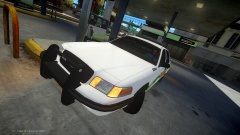 Nice TIM LOL!
 -
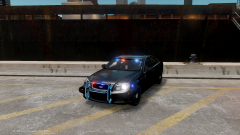 Its your materials in ZMOD, you should try to check up on the rambar material!
 -
Who made the wrap? Looks nice!
-
The rambar seems to Specular, but everything else looks great!
-
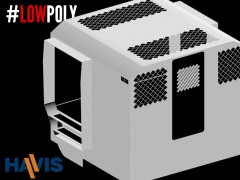 Troll! Thanks guys!
 -
-
 DAT ASS!
 -
-
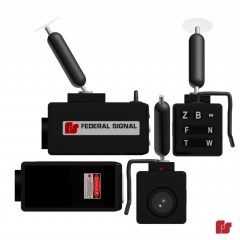
From the album: 3D Renders
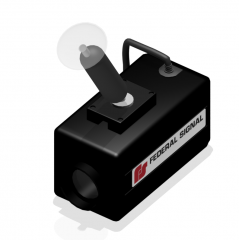
Federal Signal DTX Front Camera -
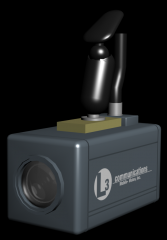 Or Trauma's Arbitrator lol JK! DO it!
 -
From the album: Released Stuff!
What's new: Anti Slip Steps Reduced poly count: It is now 2500k! Black Mat Havis Sticker Unapproved link: -
-
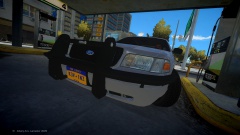 Also, I have to ask who made the fender wrap, its might fine!
 -
 You may want to look backward...
 -
Nice pack Forward!