Bruno Salgado
Members
-
Joined
-
Last visited
Everything posted by Bruno Salgado
-
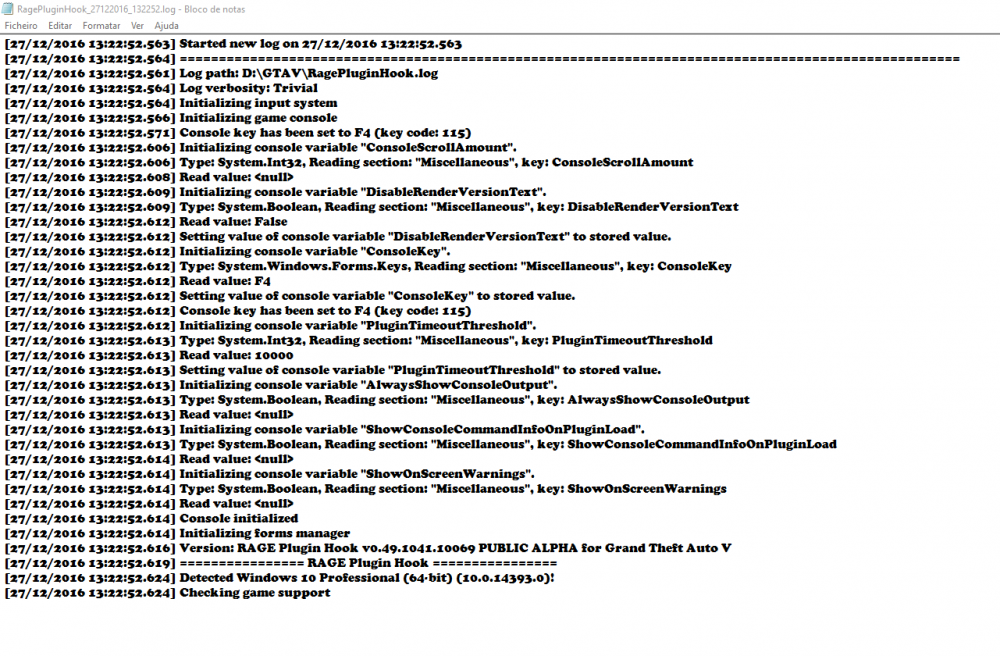
My Rage Plugin Hook crashes I normally start it on the beginning or even after the game has already loaded and it still crashes for no reason I tried without anti-virus on admin almost everything and it still doesn't work and when i look for the log it only says this: Sorry for bad English I hope u can help i tried it all and it simply doesn't work its updated without mods only with rage plugin hook thank you for helping. Is it the problem with windows 10 or something open ?
-
So I have scripts on my kinds of scripts and they all work but when I try to change a car a gta v car to a real life car I use open IVi replace the original and do all the stuff that the readme says but when I open the game to see if the mod is working the game updates and it seems to change the mod to orignal again happens with sounds and cars mods I would love if u could help me .