

MichiHMTG
Members
-
Joined
-
Last visited
Everything posted by MichiHMTG
-
Hello, I have a fresh Install of GTA 5 on Social Club. It is freshly updated and I can enter story mode without a problem. I downloaded the newest LSPDFR Setup, and when starting the Game with RPH it crashes directly to desktop. I reinstalled LSPDFR and same problem. Starting the Game and going into story mode is still no problem. There is no RagePluginHook log in my Main Directory. Thanks for the help!
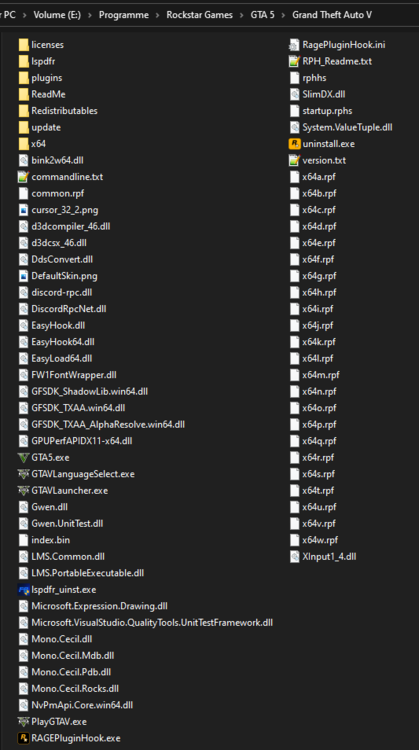
-
Bei mir das gleiche... 😞
-
Thx man, It worked. Und joa, man konnte dich in deinem Video gut verstehen! ;) Danke nochmals. (:
-
Im getting this Error if I want to install LCPDFR. Installation component 'LCPDFRModels' error'd! bei System.IO.__Error.WinIOError(Int32 errorCode, String maybeFullPath) bei System.IO.FileStream.Init(String path, FileMode mode, FileAccess access, Int32 rights, Boolean useRights, FileShare share, Int32 bufferSize, FileOptions options, SECURITY_ATTRIBUTES secAttrs, String msgPath, Boolean bFromProxy, Boolean useLongPath, Boolean checkHost) bei System.IO.FileStream..ctor(String path, FileMode mode, FileAccess access, FileShare share, Int32 bufferSize, FileOptions options, String msgPath, Boolean bFromProxy, Boolean useLongPath, Boolean checkHost) HMTechGames