


Custo
Members
-
Joined
-
Last visited
Everything posted by Custo
-
California isn't a country. -Iconography I didn't say that, because some guy took it apon himself to talk for me.
-
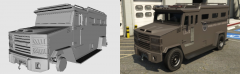 I still prefer the Stockade.
 -
-
If you haven't downloaded it yet, then don't claim there's a bug when there is no bug.
- 16 comments
- 3 reviews
-
-
-
-
Have you tried running the game as administrator?
-
So, for the longest time, I always wanted the guy I played as (besides Niko) to blink and shit. Finally I have figured it out and it works on all the peds in the game! I thought more people than just me would want the same effect! So I decided to release it. Here's a video, because I have no idea how to explain it in text: Bugs: -When the player has wanted stars, the player will not trigger any facial animations, other than the mood_normal animation. -Fixed
-
---What Does This Mod Do?--- This mod allows the ability for the game to run facial animations on the peds you play as. So you blink and stuff like that. Of course by peds, I mean anyone other than Niko. I recommend watching the video, it's kind of hard to explain in text: https://www.youtube.com/watch?v=RnAge4bBy0E
- 16 comments
- 3 reviews
-
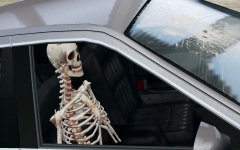 JESUS FUCKING CHRIST! You need to put a warning label when you upload scary shit like this!
 -
Good cop movie:
-
This is policeman:
-
That's because car mods have an ass load of detail into them, that it eats up the games resources. The engine realizes that and stop spawning all traffic, which all the time it leaves taxis, police vehicles, and gang vehicles spawning only. If there's any more resource eaten up, the map will start to downgrade randomly as well.
-
Damn, these all suck. :^)
-
In my opinion, of course I'd say Saints Row 2 is bad compared to the original. I would continue further, but I wouldn't want to go off topic. Saints Row > Saints Row 2 > Saints Row IV > Saints Row: The Third
-
I mean, don't judge the game on the video. Don't get me wrong, this is fucking sad for a "next gen", triple A, title... but minus all the bullshit, it's still a good game. The new spin on the sandbox genera is pretty cool, but the game doesn't live up to the hype that Ubisoft built up. Decent enough game to get me to log 100+ hours into it. I definitely recommend getting it during a sale if you want to get, I wouldn't get it at its current price to be honest.
-
I would love to see Saints Row (1) on pc, with all the same bugs and glitches. That's an amazing game, its sequels are shit compared to the original. Also would love to see Crackdown (1) on pc as well, good game if no one has played it.
-
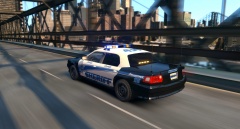 Holy shit, the Civic Cruiser!It's the same on console. Only plus the console has over pc (besides pc having mods), is that it's optimized good for consoles.Ctrl+F "Custo", 0 matches. What the fuck guys?Sym-Bionic Titan. I liked it, wish it had more than just one season though. I know there's more (for me at least), that's just the only one I can think of out the shows I have watched recently.Here, install this: From there, make sure you have script hook dot net installed. Once in game, press tilde and type "spawn police3" and press enter. If a Police Buffalo spawns, you're good to go. I don't know what's wrong with what you're doing, other than you must have typed something wrong somewhere.You'll need to edit at least three game files to get the game to load the new files you added. Find default.dat, gta.dat, and images.txt. (...Grand Theft Auto IVcommondata|...EFLCcommondata) In default.dat, add this to the very bottom right under the line starting with LBICONSFILE: HANDLING common:/data/newhandling.dat In gta.dat, at the very bottom add this: IDE common:/data/newveh.ide Finally, in images.txt, at the very bottom right under the line starting with #map instance, add this: platformimg:/models/cdimages/newveh 1 If you're still having trouble getting them to spawn via Native Trainer, check your trainer.ini file and make sure you spelled the model names correctly. As a final note, if you would like your added vehicles to spawn in traffic naturally, edit cargrp.dat and place them in the proper spawn groups. If you don't want traffic to spawn with them at all, place them in the # POPCYCLE_GROUP_ONLY_IN_NATIVE_ZONE. That group will not allow traffic to spawn with vehicles under it, same goes with the # POPCYCLE_GROUP_COPS group (except the very first two slots). EDIT: Forgot to say, you'll need to use a text editing program to open the three files (notepad can do it just fine, use whatever you prefer).


