


Powler
Members
-
Joined
-
Last visited
Everything posted by Powler
-
-
-
-
-
-
not sure if you have any other map mods if you have dont just replace image file. open up the one provided with the spikemod open it in notepad (or similar). click on "edit" then "find". search for the word spike and enter. when located highlight that one line. copy and paste it in the same place with the image file in your common/data But again it is just i suggestion for you to try mate. ;o)
-
Well i think it is absolutely brilliant but the same bugs as Tom H i'm affraid Only spawns one way (north) sometimes spawns under ground and cant see it..... How ever i love the fact it tells you what vehicle has gone over and the vehicle colour. good for when playing lcpdfr. So well done so far ;o)
-
-
-
Its ok sorry was having a brain freeze lol ;o)
-
thanks buddy ;o) what is it for if you don't mind me asking?
-
-
Thanks Tom buddy i've also sent a link in the towing mod chat for you as requested ;o)
-
-
i did see the towing mod mate just don't know were to download it lol (if its released yet) looking forward to it though looks pretty cool ;o)
-
I think that would be ok although not very realistic unless you can id anyone thats in the car to see if they have any outstanding arrest warrent's.... However i think you should be able to check someone's id by using the radio aswell as the onboard computer e.g. if more than one person is in the car i think you should be able to check all of them for warrents. weapons, conraband etc. I would also like to see that if a stop is made and the driver is arrested you should be able to get the vehicle removed off the road (by yourself or another police officer called for vehicle removal).......sweet ;o)
-
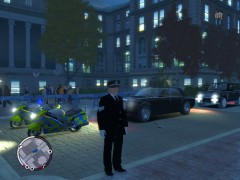 i wish they would ;o) they all look amazing....
 -
well i must say that is fair enough and i never really thought of that so i thank you for saying so ;o) when will the next lcpdfr be released does anyone know yet? If so does anyone know whats going to be added to it?
-
I love that idea and hope its possible ;o) maybe even road block's for pursuiting vehicles. I like it ;o)
-
I think this could work but only if there was a reason to do so. maybe for a point system e.g. work as a beat cop and work your way through the ranks until there on top of the rank's? also Michael Carley thank you very much for your possitive comment ;o)
-
thats ok they are only idea's but i really love realism in game's and gta is just the best for it. I love lcpdfr its absolutly amazing and there is realism in it just could have more lol ;o) more detailed police work = more happy people and more smile's for people to share lol
-
Just linked up the gamer tag signed in and it come up with a protected storage password is that normal or have you had that before?
-
Unfortunately the ALPR scripts doesn't work on XP but is stated on the download page. And thats one of the reasons i got vista lol however since being on vista i haven't had any issue's with it ;o). I wouldn't recommend removing it as it is purely bril. I am guessing its xp but i just recommend leaving the end key unasigned to prevent it crashing and to be extra carefull not to hit it lol......
-
Its me again lol.......ok MP. I'm not sure if its your internet provider and an error with the equipment but i would make sure you have the following in the GTA IV directory...... paul.dll. RGSC Folder xlive_d.dll dsound.dll Again remove the xlive.dll and try that. But i must say i'm not 100% that will work as i have not actually done it yet. I'm only on LAN play untill i get time to go LIVE and link my gamer tag later on today. I have recently upgraded to vista but when i was on xp i couldn't get on and when i did have some luck it would crash not long after starting the game lol. Sorry i couldn't be much more help mate but hope you have some joys in achieving what your trying to do ;o) and if i find out more i will let you know mate.....
-
In regards of the saving the SNT i'm not to sure how to resolve the issue you are having as i've never experienced it myself. What i can suggest is right click on the trainer file go to properties and at the bottom there should be a "read only" option with or without a tick in the box. Make sure there isn't a tick in it and apply and save and see if that works..........and for your MP support it go to it now ;o)


