


Anarchiyx3
Members
-
Joined
-
Last visited
Everything posted by Anarchiyx3
-
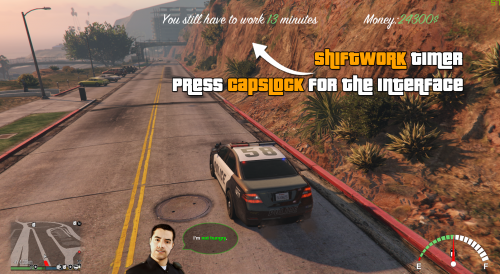 Unfortunately, there are really few food stations at the moment, but we are endeavouring to add new ones in the next update. There are these cocktail icons on the menu
- 124 comments
- 13 reviews
-
-
You can set the X and Y position of the speedometer to -9999, for example. It should then no longer be visible.
- 124 comments
- 13 reviews
-
-
-
@Lokiro67 It should work. Currently no errors are reported. Please Contact our Support-Team, if you have problems: mail@PoliceLifeS.de
- 124 comments
- 13 reviews
-
-
@Gamestear Please Contact our Support mail@PoliceLifeS.de, one Moderator will help you
- 124 comments
- 13 reviews
-
-
@Sgt Frank Hey, no its not directly a Bug. If LSPDFR set the Engine Status to "Always On" (This is the default case). The Engine turns off and turn back automatically. Press "N" go to Vehicle Control from LSPDFR an set the Engine Status to "On/Off", then it works fine.
- 124 comments
- 13 reviews
-
Good article. Thanks for the kind words.
-
-
@slmnkhan2016 If you want to play in Online-Mod you need Wifi, but you can disable the online mod in the .ini file. Can you send me your RagePluginHook.log via PM, the Game shouldn't crash if you have wifi disabled and online mode is enabled.
- 124 comments
- 13 reviews
-
@Wippy Its difficult, because there are two different systems, also other calculations etc. and the current fuel-Status is stored in a local Database.
- 124 comments
- 13 reviews
-
@Madmex I'm Anarchiyx3, and I'm Staffmember i have another Rang, so my Name is Red, Donators are Purple and normal Officers are Blue. My Call's are different because.I tested the new Version 1.0.0.4 ;)
- 124 comments
- 13 reviews
-
-

- 1
-
-
-
@Reazer Please send me a EMail mail@PoliceLifes.de with your Username and the E-Mail.
- 124 comments
- 13 reviews
-
-
-
@AdirB If you start the Game the Plugin is not loaded. LSPDFR invoke the Plugin only if you go OnDuty or use "ForceDuty"-Console Command
- 124 comments
- 13 reviews
-
@AdirB If you see Ingame "PoliceLifeS: Please wait" the Plugin is loaded, but the Webrequest maybe failed. Do you see the Message?
- 124 comments
- 13 reviews
-
-
-
Sorry guys, i cant upload the new Version, because LSPDFR-Uploadserver is at the moment offline, use the alternative download Link on our Website: http://policelifes.de/
- 124 comments
- 13 reviews
-
If you want to play two sounds behind each other. Just: Functions.PlayScannerAudio("SUSPECT_NEUTRALIZED 10-4"); Thus, only the first is played and then the second. Or this by more than two sounds Functions.PlayScannerAudio("SUSPECT_NEUTRALIZED 10-4 ... ... ... ..."); I hope this answers your question

