


CXY
Members
-
Joined
-
Last visited
Everything posted by CXY
-
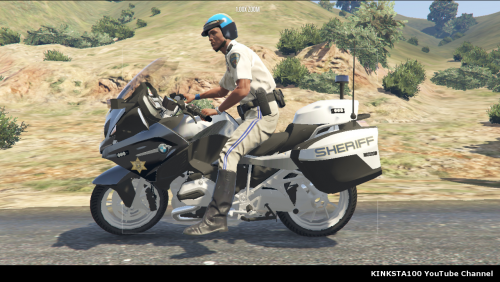 @Television78 Hi, I went into the vehicles.meta of POLICEB provided and found that the flags section does not match with the normal emergency vehicles. It seems that the flags are pointing towards a normal vehicle. This meant that the bike will not be recognized as an emergency vehicle. Unable to use ALPR, pull over vehicles, etc. @kinksta Can you check the vehicles.meta and upload a new update of it for POLICEB? Thank you.
- 30 comments
- 7 reviews
-
-

- 1
-
-
It still tells me the same thing, need permission to perform this action.
-
Hey guys. I am having a problem while deleting the mods folder. It seems like it is locked as when I tried to delete it, it keeps saying that I need permission when I am already the administrator. Any clues why? I used to be able to just delete it.
-
Suggesting a callout pack that is focused on RTA
-
Hey guys! Is it possible for someone to create a callout mostly on RTA? They normally happen at road junctions, expressways. Callouts can be varied between pedestrian struck by a vehicle, single, double and even multi-vehicle collision. But the callouts that are available now mostly happen on the expressways. Thanks!
-
.thumb.jpg.8dff664ca7857e9393c846e307fc41b6.jpg) Nope, but I'll try it sometimes later
Nope, but I'll try it sometimes later -
Why do I only have one color?

.thumb.jpg.8dff664ca7857e9393c846e307fc41b6.jpg)