


Milan Manny Drozd
Members
-
Joined
-
Last visited
Everything posted by Milan Manny Drozd
-
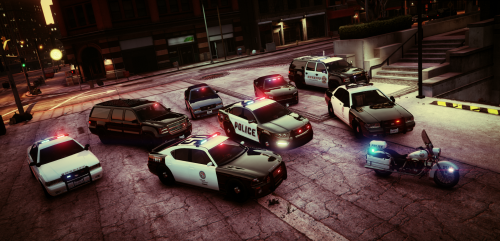 Hello, i want to edit backside of lightbar. I just want to make it to look like the frontside. Current state: Frontside (that's what i want): [blue][blue][blue] [white][white] [red][red][red] Backside (what i don't want): [red][yellow][red] [yellow][yellow] [blue][nothing][blue] Yellow leds are lightning since I enter the vehicle and also with activated sirens. Here is detailed video: How to fix it, please?
- 29 comments
- 12 reviews
-
No, that is not vanilla, it uses this pack, so it has all functions that ELS has.
-
Hello, i want to edit backside of lightbar. I just want to make it to look like the frontside. Current state: Frontside (that's what i want): [blue][blue][blue] [white][white] [red][red][red] Backside (what i don't want): [red][yellow][red] [yellow][yellow] [blue][nothing][blue] Yellow leds are lightning since I enter the vehicle and also with activated sirens. Here is detailed video: XML file is attached. police3.xml
-
Hello, i want to install this vehicle pack with ELS: but i am stucked at the step where is needed to copy files to location "Grand Theft Auto V\mods\update\x64\dlcpacks\patchday10ng\dlc.rpf\x64\levels\gta5\vehicles.rpf". Problem is, i cannot see "patchday10ng" directory there, even if i am viewing that path via OpenIV program. My game is updated to the latest version. Thanks for any kind of help.
-
Hey, I would like to know how can i take lightbars from police2 and place it on police3 vehicle. Is it even possible? If so, how?
-
It would be nice to see this ped model in "player skin selection screen": http://ragepluginhook.net/PedModels.aspx?modelHash=3613962792 It is almost police uniform i believe.
-
I went through all cycles via , or [O] key but nothing did it. Is there any way to create own cycle that you can choose via key (i mean flash order)?
-
Hello, i have downloaded police car pack from here: '?do=embed' frameborder='0' data-embedContent>> It works without any problem but i've got a question about lightbar. If you take a look at this video:
-
Thank you again for your effort but it didn't help. I used TBoGT but when i installed it to classic GTA IV, it worked perfectly. So i think there is something with the datadisc TBoGT but i can't understand what it is. In GTA IV it has worked for the first time.
-
Thank you for your effort to help me but it didn't work for me. It remains the same except the red and blue color is now white.
-
Hello! I have installed these: GTA IV EFLC LCPDFR Car pack '?do=embed' frameborder='0' data-embedContent>> Then, i run the game but the lightning system is not right, take a look at the video:

