


TA120
Members
-
Joined
-
Last visited
Everything posted by TA120
-
Sauce: https://www.policeone.com/police-products/firearms/articles/393451006-Texas-police-chief-asked-to-leave-doctors-office-for-carrying-gun/ "CONROE, Texas — A police chief said he was told to leave a doctor’s office because he was carrying his gun. Police Chief Philip Dupuis told The Courier that he went to see the ENT specialist Tuesday while wearing his badge on his belt next to his gun and his ID on a lanyard around his neck. He was checking in when the receptionist asked him about his firearm. She requested he store his firearm in his car, but Dupuis refused. He reiterated that he was an officer and he carried his weapon for his safety and the safety of others. He said he was then asked to leave. Texas law allows licensed police officers to legally open carry anywhere in the state. But private business or property owners can create “weapons-free zones.” According to the Courier, the owner must post a sign referring to the penal code, prohibiting open and concealed carry. "It's just bad," Dupuis said. "My badge is clearly displayed. I have my lanyard on with 'police' on my ID card hanging around my neck. I had handcuffs. The lobby was full of people, and they asked me to leave because of who I am." Office Manager Ryan Johnson called Dupuis to apologize and said the office has the same signs posted as other doctors’ offices regarding firearms. It’s unclear whether the signs prohibit both open and concealed carry. "This was a mistake," Johnson said. "All we can do is sincerely apologize for it and will use it to teach our employees how to better handle these situations when they arise." The fact that both uniformed and plainclothes (but with credentials displayed) officers are being asked to leave establishments / refused entry due to the fact they're armed is fucking ridiculous. That happened not too long ago in my state, where a uniformed color guard was refused entry to a stadium for a presentation of the colors. I guess some people don't understand that in America your firearm is apart of your uniform, and when in uniform or acting in any sort of official capacity you're never disarmed (with the exception of jails and federal courthouses).
-
If a city / county mandated everyone to own a firearm, that'd be ridiculous. It's just as much their right to own no firearms due to beliefs as it is my right to own twenty (which is rookie numbers boiiii)
-
An agency has no legal authority to conduct enforcement actions (detainment, arrests, etc) outside of their sworn territorial / subject jurisdiction. A state agency like CHP may be in town on a governor's warrant or extradition, but that's the only reason I could think of. None the less, they wouldn't have any authority to conduct business there.
-
Documenting John Foreskin's wild adventures.
-
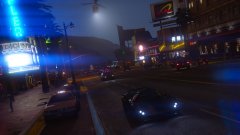
From the album: Night Shift Exploits
You might be able to outrun some Crown Vics, but you'll never be able to outrun the radio. -
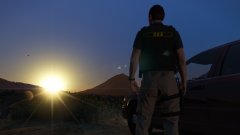
From the album: Night Shift Exploits
Sometimes in law enforcement you just have to sit back, breathe, and remind yourself that you have the front row seat to the greatest show on Earth - it's a circus. -
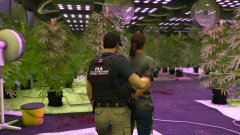
From the album: Night Shift Exploits
"Today, agents with the Patriotism and Immigration Authority, the Federal Investigation Bureau, and the Drug Observation Agency conducted a joint raid on a major hashish production facility. Officials have stated that profits were utilized to fund Al Qaeda in the Arabian Peninsula (AQAP) cells along with Islamic State militants. Hopefully these arrests will lead to a great effect on the Global War on Terror." -
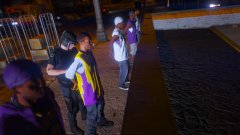
From the album: Night Shift Exploits
LSPD Metropolitan Division conducting a stop and search on gang affiliates. The goal of this operation is to identify new organizations, and to update profiles on known gang members. The officer is taking a suspect into custody for violation of his probation. Two handguns and an ounce of crack cocaine was seized as a result of this search. -
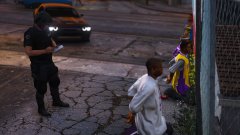
From the album: Night Shift Exploits
LSPD Metropolitan Division conducting a stop and search on gang affiliates. The goal of this operation is to identify new organizations, and to update profiles on known gang members. The officer is filling out field interview (FI) cards to be disseminated to the Gangs and Narcotics Division. -
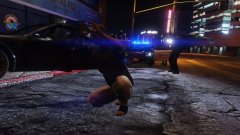
From the album: Night Shift Exploits
Asshole rodeo. -
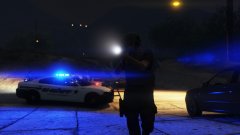
From the album: Night Shift Exploits
First man in. -
I don't have scripthook and LSPDFR runs fine for me. ELS on the other hand doesnt.
-
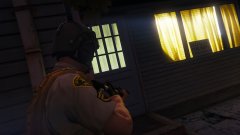
From the album: Night Shift Exploits
Follow me into the house, dude! -
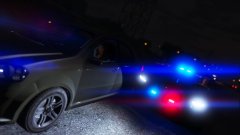
From the album: Night Shift Exploits
Ask them. Tell them. Make them. -
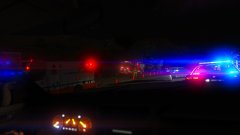
From the album: Night Shift Exploits
Dep. J. Foreskin looks on at a hose dragger in envy. "I wish I got paid to stand around and eat." -
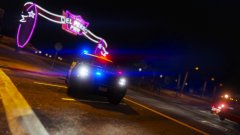
From the album: Night Shift Exploits
Enforcing scene (and crosswalk) security at a downed aircraft. -
thanks for serving bro. be safe.
-
Not sure if this is the right section, but could somebody explain this to me? I've seen some screenshots on here, but I don't understand what it is. Thanks in advance!


