


MichelleWayZ
Members
-
Joined
-
Last visited
Everything posted by MichelleWayZ
-
That didn't work. It would still hang after five minutes. Turns out that removing Automatic Roadblocks was the solution, apparently it was a buggy version (0.7.0) that was since removed.
-
When going on duty, GTA V will hang. It moves to the menu where you can select the police locker, garage, etc. However GTA V becomes unresponsive (Windows also reports the process as being stuck.) The logs don't tell me a lot since I have to force-close the game manually. I've tried to wait for 1.5 minutes to see if some hang protection would kick in and cause a crash, but nothing happened. I had installed a couple of new plugins and a new add-on DLC. I have tried removing the plugins one-by-one (and all at once), same for the DLC add-on to go back to a known good state (as it was working fine yesterday), however with no luck so far. RagePluginHook.log
-
 Thank you for the fix!
 -
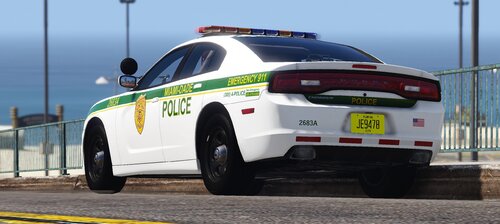
Is it me or are some of the vehicles missing from the addon pack? Like I see ELS files for MDPD21, but it doesn't exist in the vehicles.rpf (also the ELS file for MDPD13 I think is missing)


