Stein112
Members
-
Joined
-
Last visited
Everything posted by Stein112
-
No, i also can`t. But i found a solution in another Post. I needed to copy the file "update2.rpf" from the update folder into the mods - update folder.
-
Hello together, after the latest Update, I updated LSPDFR and RPH, as well as ScriptHookV to the newest versions. But now my game won´t start. With or without LSPDFR. 😞 If I start it directly without LSPDFR, it begins to load and then just closes. If I start RagePluginHook, it loads but never ends to load in the Loading Screen. Normally it loaded about 1-2mins. I don´t know if it helps, but attached is my RPH LOG. I startet at 10:51 A.M. and quitted the game because of no reaction at 10:59 A.M. Can someone please help me with this? Thank you! RagePluginHook.log
-
Hello again, now i got the same thing again. Attached the log. While starting, it crashed. 😞 RagePluginHook.log
-
Hello Mrsuperx13, i tried again to restart with the Setting "Verify Game Installation" in RPH. Since this, the start works again like normal, but after some time it crashes. Last time after i died ingame, this time in the middle of a normal patrol. Attached you´ll find my .log, but in this try, it didn´t crash. Thanks for your support, i will add a new comment with a .log if it crashes again. RagePluginHook.log
-
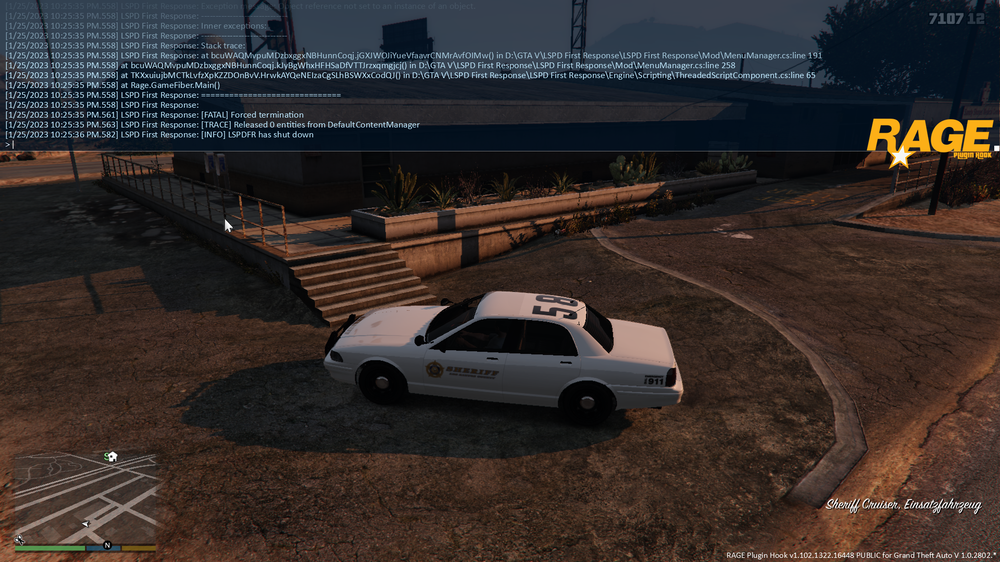
Hello together, after i installed the EUP mod today, my LSPDFR crashes. I recovered the backup i made before and think i cleaned it up, but it still crashes while starting the game. When i use the console to ReloadAllPlugins, it works. Here´s a screenshot of my console. Can someone please help me?