



CoryMP33
Members
-
Joined
-
Last visited
Everything posted by CoryMP33
-
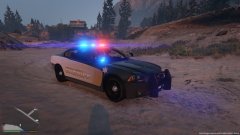
From the album: NEW
Model by Bxbugs 123 Skin by NUTT -
.thumb.png.f554a3e22a0cc94aa174267689e6dbad.png) Wow! One of if not the best packs I have seen. Congrats and great job. Only additional improvement I can see is to offer it in different color schemes and make it so the vinyls stay but color can be changed with a trainer. Thanks for your hard work, again great job! - Glad you agree...look forward to seeing and using it!
Wow! One of if not the best packs I have seen. Congrats and great job. Only additional improvement I can see is to offer it in different color schemes and make it so the vinyls stay but color can be changed with a trainer. Thanks for your hard work, again great job! - Glad you agree...look forward to seeing and using it!- 47 comments
- 9 reviews
-
-

- 1
-
-
 I am having the same problem. I also have this car in POLICE3, which is where it is recommended. I am no longer using it because I have done all methods already described and nothing has worked. It sucks too because I liked using this car.
- 202 comments
- 51 reviews
-
 Body armor extra keeps disappearing everytime I respond to a call. Anyone else having this problem?
- 2,342 comments
- 236 reviews
-
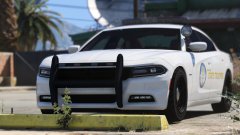 Where did you get this model? I have been begging for a 2015 charger with a lightbar that was not a GTA 5 lightbar!!! Please share
 -
I second that. FinKone thank you. You have one of the most recent and relevant tutorials to get going. I haven't played since v0.95 because I couldn't get installs and scripts done properly. I just got a brand new rig with more power than I could ever need so I will keep my fingers crossed that the crash issues don't leave me frustrated again. Keep up the good work and thank you for your dedication to making this experience better

.thumb.png.f554a3e22a0cc94aa174267689e6dbad.png)
