


C.O. N.Y.
Members
-
Joined
-
Last visited
Everything posted by C.O. N.Y.
-
i have run into an issue with GTAIV, i tried to uninstall it and now getting " your system is incompatible %P ". i've done this before but never ran into this. Now i cant uninstsall to re install Can some one help
-
ok, i installed 1.1 - " error in radar script " & spike strip freezes game - However spotlight works
-
can anyone please help me - spot light gets an error and i cannot for the life of me get the radar gun to show up
-
has this been fixed ?
-
****** http://www.radioreference.com/apps/db/?aid=615 ******** this might be it
-
Request for NEW YORK STATE POLICE
-
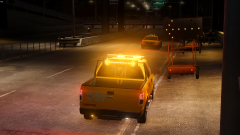 i'd use that truck - pls release
 -
only color car that actually shows is the taxi - all other cars are blue, red vehicles look more purple
-
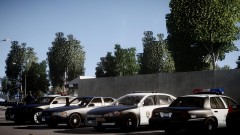 what ENB is that ? OUTSTANDING
 -
I have recently installed SAVIOR'S ENB and i have noticed the vehicles have a blue-ish tint to them making all the cars appear blue. Does anyone know how to fix this or is there a fix to this. This ENB is one of the best ones and i'd like to keep it Any help would be appreciated
-
3 yrs in Corrections - Upstate N.Y. - Previous 2 yrs in POLICE / FIRE dispatch
-
-
my wish, it was already released lol - CANT WAIT
-
Corrections Officer New York - full time corrections officer in the state of New York lol
-
i believe, and hope Snipers working to correct this. i am anxious like everyone else
-
PONTIAC - ( never mind, too offensive )
-
good one lol !!
-
-
-
Any issues with scripts and mods, arent we supposed to notify author or creator ? - that's what we've done if you read previous posts. Dont get me wrong i am anxious for this to work, it'll be a kick ass script.
-
MATOSH- Surely i have respect for all members & modders , All time given by mod creators is appreciated by me and everyone else. As my post said " IN MY OPINION " which i am entitled to i have had more issues with this being game freezing, scripts not working , traffic stop errors, interference with LCPDFR, basically nothing seemed to work. eventually i was able to use the spike strip once time. Again my post stated once corrections or updated version is released i WILL attempt this mod again.
-
**** Same here bub, i re-installed it and now troopers hands stay at his side, no gun and red box doesnt change. i missed the 1st GTAPT and was looking forward to this one. BUMMER !!
- 45 comments
- 23 reviews
-
OK FOLKS - In my opinion on this, it is an epic fail. the only thing i liked was the spike strip, nothing else seemed to work. i tried numerous times and i am unable to conduct a traffic stop.
- 45 comments
- 23 reviews
-
Yes SNIPER - any ideas on whats wrong ? Game Freezes when using SPIKE STRIP *****EDIT ******* - SPIKESTRIP working now - waiting on how to get RADAR to work OK FOLKS - In my opinion on this, it is an epic fail. the only thing i liked was the spike strip, nothing else seemed to work. i tried numerous times and i am unable to conduct a traffic stop. i am un-installing this and will continue to use POLICEHELPER. If there's a script writer or creator i am sure i am not the only one who will be interested in a hand held radar gun that will work. If a updated version or corrections are made, i will attempt this MOD again
-
lemme check i dont see it in there, where do i put that line ? OR i am willing for a teamviewer lol ok, its in there - also the other line as well in the images section tried again - radar pops up, BUT now the characters hands do not raise and still no radar gun, - IDK

