
StreetLSPD
Members
-
Joined
-
Last visited
Everything posted by StreetLSPD
-
 V6 is the best that you've created but instead of keeping the older versions you deleted it. Incredible.
- 83 comments
- 19 reviews
-
 That's the point. LAPD never uses priority tones. Solved?
 -
Uploaded a new one in 1.1.0
-
I was tired of downloading mods that don't sound like the real LAPD siren, with tones too sharp, too saturated, or with too much echo. So after spending a lot of time watching videos, I have found the best audio sample for the siren to be used in game. I hope you like it! FULLY-COMPATIBLE AND FIXED FOR RAGE MP How to install: EASY INSTALL - Just drag the "x64" folder from inside "Into GTA V main folder" and drop it into the GTA V main folder. It was hard, uh?
-
 What is wrong with you mate? You are uploading a mod without any video showcasing it, without any instructions of how to install it and when people ask you about it, this is your response?
- 19 comments
- 3 reviews
-
-

- 1
-
-
 A parte de que la sirena está muy mal grabada, el wail se corta y no hace el loop correctamente. Ah y no sé como tienes tanta cara de ponerte en los créditos cuando esto no lo has grabado tú. Estas sirenas llevan circulando desde GTA IV. Por cierto, buen vídeo de 8:50 minutos donde la sirena se escucha literalmente 30 segundos. En fin.
 -
 The wail is like at x2 speed. And the airhorn isn't the same. Yelp is fine.
 -
 No video, no download bro. I really want to know which sound are refering to but as there's no video I can't.
- 7 comments
- 2 reviews
-
-
-
-
-
 Requesting backup, requesting inmediate backup, requesting code three backup, code 1099, requesting air unit, requesting backup for pursuit... nothing works when a cruiser is involved.
- 587 comments
- 106 reviews
-
-
[20/05/2016 21:21:42.103] LSPD First Response: VocalDispatch: Recog_RecognizeCompleted succeeded. All seems okay, you have the log attached. Still not working, it works all, ambulance, towtruck, transport, swat, shots fired... but, request of a cruiser, is not working. Pursuit and helicopter aren't working too. RagePluginHook.log
- 587 comments
- 106 reviews
-
Can anyone help me? All is working very well, but when I request backup, prusuit or standar, it says this: "We're not able to honor that request at this time."
- 587 comments
- 106 reviews
-
 Humm. yeah, but you said: IF THE LIGHTS ARE TOO BRIGHT INSIDE, OR IF ITS TOO BLOOMY, LET ME KNOW ! SOME CAR MODS HAVE DIFFERENT TEXTURES ON THAT EMITS CRAZY BLOOMS WHILE OTHERS DON'T. That CVPI is the only one that have the LAPD pattern on the arjent.
- 246 comments
- 40 reviews
-
With this Crown Victoria pack there is a LOT of crazy bloom :( Can you fixe it please?
- 246 comments
- 40 reviews
-
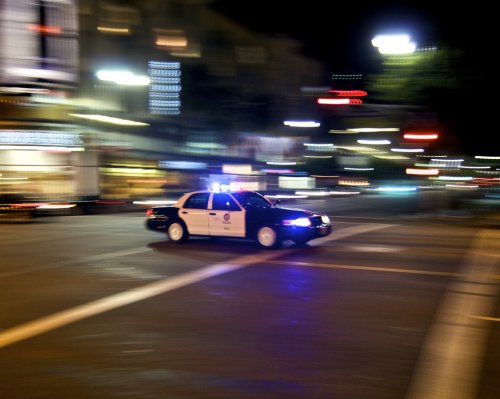 By the way the siren was originally made and converted by Doomer for LS-RP (gta SA) and not TriXper.
- 45 comments
- 14 reviews
-
-
-
-
-
A fucking perfect version for L.A roleplay would be: Motorola Spectra Siren (ambulance) EQ2B Siren (firetruck) Mastercom RLS Siren (sheriff SUV) Federal Signal Smart Siren (lspd / lssd - done) AND if you put the yelp in the phaser tone for the lspd and lssd would be awesome. The default AI activates the phaser in the pursuits, and LAPD never do, only uses the yelp. Whelen siren (motorcycle, but wail in first tone and yelp on the second) Please do it!!!
- 45 comments
- 14 reviews
-
-
- 4
-
-