


evanm07
Members
-
Joined
-
Last visited
Everything posted by evanm07
-
 Nevermind, I got it fixed. I somehow either deleted or forgot the "c" in <Item>dlcpacks:/lapdaddon/</Item> As it almost always is, it was a stupid spelling error on my part. Its always that one little character in a line of code (if you can even really call this 'code' lol) but you gotta make sure to get it right! Another lesson learned, or relearned.
- 255 comments
- 75 reviews
-
OK so I followed the instructions as listed but only the replace vehicles show up when I try to spawn them in a trainer. The addon cars just give me an Invalid Model when trying to spawn. I have the dlclist.xml edited properly with the entry, I have the pack data files installed, and I have a gameconfig file in as well. I have other addon cars installed and they work just fine, these ones just don't show up for whatever reason. Any help or suggestions are greatly appreciated!
- 255 comments
- 75 reviews
-
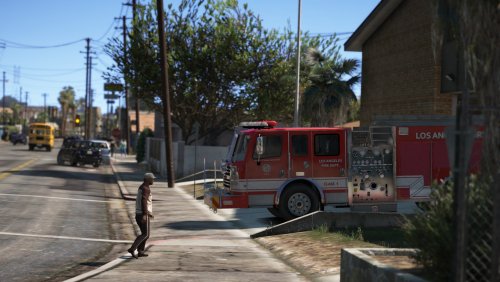 Would you consider skinning the rest of the Pierce apparatus in the pack as LAFD?
- 13 comments
- 2 reviews
-
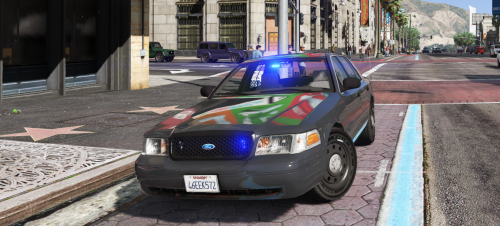
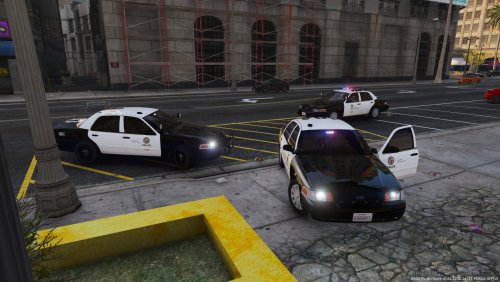 Any way you could provide a cvpi_windows texture file that DOESN'T have anything on it? I'd like it to look as close as possible to LAPD but they don't have an american flag or texas flag sticker or website sticker either. Would've been nice if the rear window didn't have any stickers...
- 28 comments
- 8 reviews
-
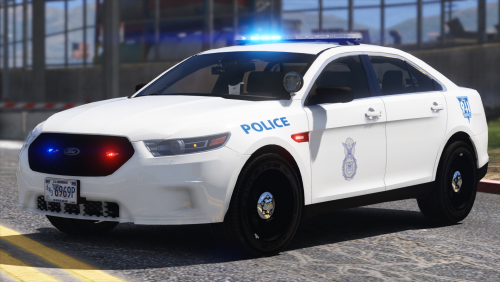 Then yes for all branches of the US military their respective police forces, be it Military Police or MP in the US Army and Marine Corps, Master At Arms in the US Navy, Maritime Enforcement in the USCG, or Security Forces in the USAF, are the primary law enforcement and base security. For base security purposes though on many bases they are supplemented usually by civilian police assigned to the base. Source: Former USN MA2
- 25 comments
- 7 reviews
-
Oh ok I thought they were vehicle specific beyond just the file name. I never really looked at them all that closely and assumed that maybe the xml files also had data for specific lightbars and such. If not thats cool too haha They'd be called Airmen and they would get their law enforcement powers from the Air Force rather than from whatever state they are in. Their training is very different than that of a regular civilian police officer and they enforce very different laws. But they are basically the police force for the USAF.
- 25 comments
- 7 reviews
-
yeah for me the whole lightbar just turns on steadyburn all around and its not even being controlled by ELS. So idk what to do here, can I just rename one of my other vehicle XML files to this one and have it work?
- 25 comments
- 7 reviews
-
You're also missing the ELS xml file. I mean your title doesn't say ELS but the file information does so... yeah lol
- 25 comments
- 7 reviews
-
-
 I tried that and it didn't work either, the character was kinda just frozen there till I ended the callout. But hey other than that I love the callouts dude!
- 110 comments
- 33 reviews
-
How are you supposed to interact with the mysterious person? All they do is stand there for me...
- 110 comments
- 33 reviews
-
-
So for some reason whenever I initiate a traffic stop in LSPDFR and I accidentally hit the horn button the car I am pulling over will suddenly start going forward at full speed and crash into whatever is in front of it. This also happens during a pursuit if I press the button to change from wail to yelp. I'm using the latest version of GTA 5, RPH, LSPDFR, ELS, and I am using an Xbox One Controller. Does anyone have any idea what could cause this?
-
-
 Hey so I got a quick question. Just started out trying this so far cool mod. I'm having a bit of trouble with the custom siren sounds. I'm sure this question may or may not have been asked/addressed but I just simply don't have time to comb through 24 pages of comments lmao. So here it is: I have the custom sirens I want to use placed in the custom sirens folder and then set their correct names in the xml file for the vehicle I want to use. The plugin loads up perfectly fine (or did until I changed a few keys, this ultimately could be the problem but I noticed it prior to changing keys in the config) except none of the siren tones will play now. Its just dead silent. Any reason for this?
- 852 comments
- 108 reviews
-
 Just curious, does this affect your backup in any way? Like if I have airport police models set to patrol the airport and I request backup there, will airport police models show up or is that controlled by something else entirely?
- 270 comments
- 19 reviews
-
-
-
.thumb.jpg.4066677156985e22489bfecddc2f6c45.jpg) Is there any way to just get the .yft's and .ytd's for this car? I want to use it as an add-on car and not have it in police and sheriff slots. And I'm afraid to just use the OIV installer because its probably just gonna force it into those slots where I already have cars I want to use there with liveries that I like.
Is there any way to just get the .yft's and .ytd's for this car? I want to use it as an add-on car and not have it in police and sheriff slots. And I'm afraid to just use the OIV installer because its probably just gonna force it into those slots where I already have cars I want to use there with liveries that I like.- 376 comments
- 81 reviews
-
Soooo.... Nothin eh?
-
Not sure why but it seems like 3 punches from a ped or suspect and I die. Is there a way to change this? I sure as shit know I can take 3 real punches to the head and I wont die. Its kind of frustrating when you have to get physical and don't want to automatically go to lethal/less than lethal tactics right away. I want to be able to scuffle with a suspect sometimes, not just have them land 3 quick punches and I die.
-
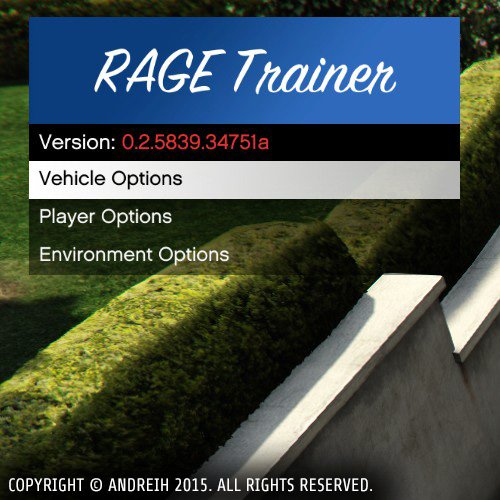 Any plans to make this 0.34/0.3 compatible?
 -
-
-
 What models are these textures supposed to go to? Like which CVPI and which Charger and so on?
- 10 comments
- 3 reviews



.thumb.jpg.4066677156985e22489bfecddc2f6c45.jpg)

