Skip to content
View in the app

A better way to browse. Learn more.

LCPDFR.com

A full-screen app on your home screen with push notifications, badges and more.

To install this app on iOS and iPadOS
  1. Tap the Share icon in Safari
  2. Scroll the menu and tap Add to Home Screen.
  3. Tap Add in the top-right corner.
To install this app on Android
  1. Tap the 3-dot menu (⋮) in the top-right corner of the browser.
  2. Tap Add to Home screen or Install app.
  3. Confirm by tapping Install.

vynlthrash

Members
  • Joined

  • Last visited

Everything posted by vynlthrash

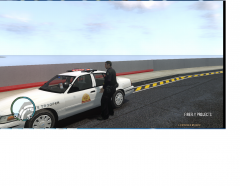
  1. vynlthrash posted a gallery image in GTA IV Galleries
  2. hey still working on it..got a lot of things im working on
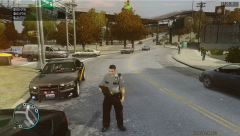
  3. vynlthrash posted a gallery image in GTA IV Galleries
  4. Car

    vynlthrash posted a gallery image in GTA IV Galleries
  5. vynlthrash posted a gallery image in GTA IV Galleries
  6. cool ill throw a few together
  7. do you want 3D fists and or just text and what color(s) for the text
  8. free aha just give me details of what you want
  9. vynlthrash posted a gallery image in GTA IV Galleries
  10. vynlthrash commented on vynlthrash's gallery image in GTA IV Galleries
  11. vynlthrash commented on vynlthrash's gallery image in GTA IV Galleries
  12. vynlthrash commented on vynlthrash's gallery image in GTA IV Galleries
  13. I make 3d logos an if anybody wants one ill make em one..just send a request to vynlthrash@yahoo.com..or leave one here and ill try to make it for ya. I have an example attached. Did this one really quick.
  14. vynlthrash posted a gallery image in GTA IV Galleries
  15. vynlthrash posted a gallery image in GTA IV Galleries
  16. vynlthrash posted a gallery image in GTA IV Galleries
  17. vynlthrash posted a gallery image in GTA IV Galleries
  18. vynlthrash posted a gallery image in GTA IV Galleries

Account

Navigation

Search

Search

Configure browser push notifications

Chrome (Android)
  1. Tap the lock icon next to the address bar.
  2. Tap Permissions → Notifications.
  3. Adjust your preference.
Chrome (Desktop)
  1. Click the padlock icon in the address bar.
  2. Select Site settings.
  3. Find Notifications and adjust your preference.