Ghilbert
Members
-
Joined
-
Last visited
Everything posted by Ghilbert
-
-
Just amazing skins man. I've never seen a yellow/white based skin on here that looks so nice with my ENB. Outstanding work. 5/5
- 14 comments
- 19 reviews
-
Congratulations on 4 years guys! I've only been using the LCPDFR mod for about a few weeks now but I've learned a lot from these forums and you guys have some great dudes on here willing to help people out. Great job!
-
Should make a dodge charger with this skin and maybe a vehicle pack with a tahoe. Nice work!
- 31 comments
- 21 reviews
-
-
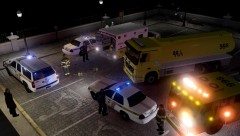 Awesome screenshot dawg
 -
-
I just tried the Large Address Aware and it worked pretty good. (I followed the instructions correctly and set the executable as GTAIV.exe) I got about 1 hour and 10 minutes worth of gameplay in and then the same error occured. Thanks for the help though!
-
-
GTX 660ti SC 3GB, FX 6100, 12 GB Kingston Hyper-X. I'll try using that. Btw I had no clue GTA IV was ran in 32 bit mode... is this only the normal GTA that does this or does EFLC do this as well? Mind=blown. Edit* just realized that's probably the "int32" error and what it's coming from.
-
Edit* Just realized I should have probably posted this in the LCPDFR support section. My bad. I've been running the Braveheart policing script for a few days now and have gotten at least one crash error almost every day that I have ran the script. I have no clue what could possibly be causing it, I haven't exactly went through superb troubleshooting checks (uninstalling other scripts) but I figured someone would be able to assist me so I wouldn't have to look too deep into it just yet. It's not an annoying occurrence, but it does happen quite often, which results in me using the default LCPDFR response calls. Scripthook: ----------------------------------------------------- "2013-07-24 02:40:14 - Error during Tick in script 'Policing.Policing': System.AccessViolationException: Attempted to read or write protected memory. This is often an indication that other memory is corrupt. at Policing.Policing.activateEvent(Int32 incident) at Policing.Policing.Attend(Object sender, KeyEventArgs e) at GTA.KeyEventHandler.Invoke(Object sender, KeyEventArgs e) at GTA.Script.ProcessEvents() at GTA.Script.DoTick() at GTA.ScriptThread.OnTick() 2013-07-24 02:40:14 - Error in Thread.Abort: System.Threading.ThreadAbortException: Thread was being aborted. at System.Threading.Thread.AbortInternal() at System.Threading.Thread.Abort() at GTA.NetThread.Abort() 2013-07-24 02:46:05 - Direct3D device lost! 2013-07-24 02:46:06 - SCRIPTS TERMINATED!" -------------------------------------------------------- Other scripts used: -LCPDFR 0.95 latest version -Traffic Flow -Automatic Plate reader (have just started using this, but braveheart's script has crashed numerous times before installing this) -CryENB NexT (Have also just started using this, so I'm doubtful this has anything to do with it) I can post computer specs as well but I'm sure that isn't the problem as well. Any help would be useful.
-
Actually just tried out cryenb10 and it's working awesome for me! I might try out the other ones as well just to test them out. Thanks a lot!
-
-
Just wondering which decent simple ENB pack would work best with LCPDFR without crashes or weird texture bugs. I've seen a few but there's so many different ones. I'm using the normal GTA IV game with 1.0.7 update. What are your suggestions?
-
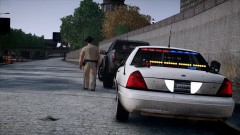 Amazing picture. 10/10
 -
Really nice pack I tested it out but the only complaint I have is the lights on top of the police cars "disappear" when you are more than about 20 meters from the car. I'm not sure if it's just me or not. 9/10
- 57 comments
- 40 reviews
-
Really awesome HD looking pack! Would love to see an updated version with emergency lights working properly with ELS 7
- 153 comments
- 86 reviews
-
Really sick pack! I love the fact that you changed the stockades to actual cars like the corvette. Best pack I've seen by far. 10/10
- 50 comments
- 33 reviews