Jety2011
Members
-
Joined
-
Last visited
Everything posted by Jety2011
-
One thing i was wondering about is: Why the hell doesn't the police use a tazer or nightstick? You can buy police weapons but the police doesn't use them..... This is a bit strange in my opinion.
-
But I guess, we'll have to wait a little longer. The main focus of Rockstar is the start of GTA Online. I think, after they will have done that, they fix the other issues. And I think it will take longer than we expect to release this game for pc. I read somewhere that a few feature of gta online will be implemented over time. So its likely that they first finish that project before they keep working on a pc release. But hell, i can't wait. And I hope there will be an LSPDFR. Yesterday while playing, I was so jealous when I saw a police cruiser chasing a suspect. I just thought: "Fuck, get out of that police car, it used to be my job to do that!" :-D
-
I've experienced the same issue. Found this: http://www.cinemablend.com/games/GTA-5-Vehicle-Bug-Confirmed-By-Rockstar-Patch-Incoming-59310.html
-
The only thing that i m concerned about is flying, cuz i really suck at flying planes. Hope r* kept is simple. Otherwise the los santos skyline is in real danger :-)
-
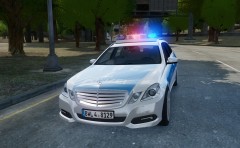 Great! Can't wait. You're doing a great job! On a few of your pics I saw a couple of Officer Skins too. Will you release them as well or are they just for personel use?
 -
Nice one. Looking good! Still waiting for the BMW 520d (Polizei Hamburg). I guess it's still under developement?
-
Thats true. Couldn't find the F3-Key this morning to choose the option "Fix Car". That really sucks and I had to go by bus :-D
-
Yes I do. Reinstalled windows. Works for now
-
GTA 4 was running very stable until yesterday. I've got an error while I was trying to pass the bridge in Alderney to that industrial district. Everytime I've tried it, the game would crash. Somehow I fixed that issue. But then the game crashed to desktop and I experienced a weird problem. Suddenly a message came up, telling me GTA 4 couldn'd verifiy the licence. I reinstalled the game. When I was trying to install patch 1.0.7.0 the same message came up and securom asked me to enter the key. I did so, and it tried to verify it. But with no luck. It crashed the installation. I tried to reinstall the game again, after I removed securom completely (even the registry entries). But no luck, even worst. Now I get crc errors when I try to install the game. I think I need to reinstall windows this weekend and start from scratch My question is: Is there anybody out there, who experienced the same problem and fixed it without reinstalling windows? Thanks in advance
-
Fix it. I did the following: Restarted my pc. Opened gta 4. While in game i used the trainer option: unlock all islands. And here it goes. No stupid crash.
-
Ahhh. Thanks for the hint. I used a trainer to unlock all islands. That might be the issue, cuz its crashing when i try to cross the bridge in alderney to get to that small industrial island (dont know the name xD )
-
Yep. I got the same error. But i dont know how to fix it.
-
I really appreciate your great work! Its awesome! Keep it up!
-
I think the crashing is the result of an overmodded game. I had random chrashes at almost any kind of callout i`ve recieved. I disabled all scripts and it has only last longer until i got the next crash. So i decided to reinstall the game, Patched it to 1.0.7.0, installed lcpdfr, a few other scripts and the policing script. I played for 3 hours without any crashes at all.
- 356 comments
- 140 reviews