


Jordy
Members
-
Joined
-
Last visited
Everything posted by Jordy
-
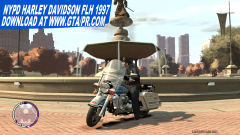
From the album: '90s NYPD
Please do NOT ask for the Download link yet, or even try to seek for it, because there is no Download link YET. I'm thinking at the moment to keep this Work In Progress due the lightbar colors. You may visit our site yes, if you'd like to stay updated: www.gta-pr.com© GTAPRMedia | GTAProductions 2009-2011
-
I'm pretty sure it'll come out on PC though... But just like IV, lame engine. Whatsoever lets hope for the best. ^^
-
 cool haha
 -
Does this also work for TBoGT and TLaD?
-
I hate that too! So annoying! This made it not possible to have a New Jersey side with NJ Police Cars, and a New York side with NYPD. Or, could that be scripted? NOoSE Cruiser for example as police car for Alderney...? The rest only in the remaining cities? If yes I would be very interested. ^^
-
-
-
-
Very nice video's, but FFS your colleagues seem SO freaking annoying!!! Seems like you're the only cop around driving normal. :S
-
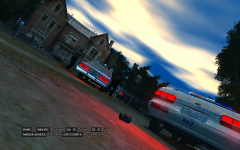 Now thats the stuff!
 -
-
Oh... :( Will they return?
-
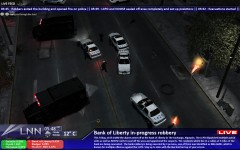
What I would think would be neat is a Bank Robbery in progress like in that Mission in IV. The bank doors open, and everything surrounded. The suspects have maybe hostages or something, and anyways; thats LCPD doesnt go's in immideatly but comes up with a tactic or something? Further maybe a robbery in the museum? If possible so... :P At least what I mean is real life heavy situations.
-
Oh, bomb threat seems awesome! Al tough all these idea's rock.

