


Jordy
Members
-
Joined
-
Last visited
Everything posted by Jordy
-
Google failed on me with that too... :dry:
-
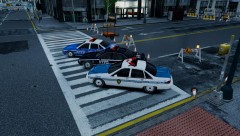 Whooo, all the best together! ^^
 -
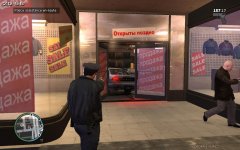 ''Move on people, nothing to see here... Just a car crashed into a Russian clothing store. Not a big deal, move on!''
 -
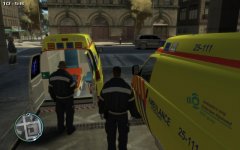 Dutch ftw!
 -
Sorry, I think I haven't explained it so clear. Aren't you so often annoyed that when you're in Alderney, LCPD cars are driving around with the Jersey cop in it? With this way you could replace the vehicle where they drive in with a NOOSE cruiser for example. I hope I made it clear. :)
-
As again; I keep wondering... This time I thought: What if: Organizing a certain officer with a certain vehicle. Example: The Jersey Cop driving/responding/paroling in a NOoSE Cruiser, or police2 for instance. That way it's less odd an Alderney officer responding in a LCPD Vehicle. Of course we can mod the skin and chosen vehicle (in this case for example the NOOSE), to Port Authority PD for example. So that way it all will make more sense. PAPD Officers responding in a PAPD Cruiser, or New Jersey Police responding in a New Jersey authorities vehicle, whatever you mod it with! I don't mean this must be added into LCPD:FR. It is just a suggestion for as a separate .ASI file, which we can edit so we can let certain people drive around in certain vehicles. I hope I explained this well, and you all like the idea too.
-
Whoaaaaa, hold it right there, Holden bought the model from General Motors, so the Holden is a Chevy Caprice. Apparently Holden is too lazy to create their own looks, and buys them from the newest (best coming) interceptor! So do I, as you guys might have ''noticed''.
-
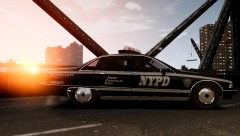 DOWNLOAD: http://gtamodcenter.com/forum/index.php?/files/file/9-chevrolet-caprice-new-york-pd-auxiliary/
 -
@Custo: I think you shouldn't take a Vapid cruiser, because the name is: ''Vapid''. My favorite: 1994 Caprice 1990 Caprice
-
 Loving it... I got goosebumps all over me! <3
 -
Those are very very attractive looking textures, dude!
-
LOVING the idea!+1
-
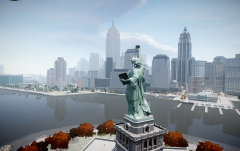 <3 Now I remember why I love GTA:IV so freakin' much...
 -
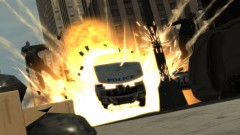 And another LCPD unit gets blown up... :(
 -
-
There are unfortunately 0 available '90s CVPI's anywhere for IV. I've tried searching myself. There are less '90s FCV models, and the available ones are way too low poly. There for I find this a good suggestion actually. I hope someone is able to make one, because I can't. I think a generic FCV
-
LC is based on NY, and Traffic Load helps raising the traffic. I just like to make it more look like NY, that's all...
-
Nice, glad I'm not the only one who likes the suggestion!
-
-
So far seems like it's impossible. Thanks for the replies, guys.
-
IMO I find pursuits in New York City kinda unrealistic. New York has such a load of traffic it's never possible to have a pursuit, nor attempt one. So I was wondering, is it possible to edit somewhere in the LCPDFR files that there will no longer be random pursuits, nor fleeing suspects during a pull over? Thanks in advance, -Jordy
-
-
What is the wdd file? :O
-
-
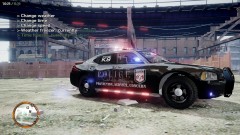 Neither a fan of the amount of lights, nor the K9 Units that are always being made. Never have seen a dog in IV so far. But still, nice picture. ^^
