
Skip to content
View in the app

A better way to browse. Learn more.

LCPDFR.com

A full-screen app on your home screen with push notifications, badges and more.

To install this app on iOS and iPadOS
  1. Tap the Share icon in Safari
  2. Scroll the menu and tap Add to Home Screen.
  3. Tap Add in the top-right corner.
To install this app on Android
  1. Tap the 3-dot menu (⋮) in the top-right corner of the browser.
  2. Tap Add to Home screen or Install app.
  3. Confirm by tapping Install.

Nostalgia Mark II

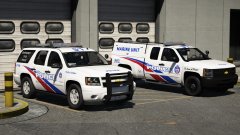
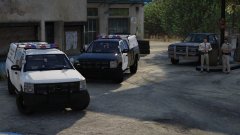
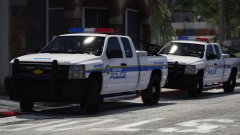
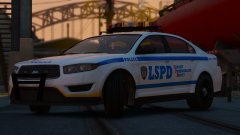
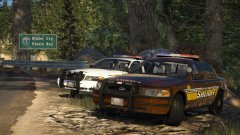
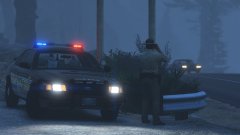
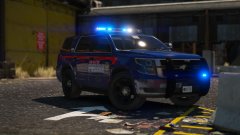
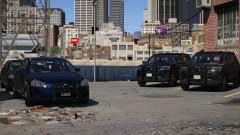
So, a lot of people have been asking me what happened to this pack. So I'm reviving it. This will be a ELS vanilla mega-pack with the design based of GTA IV's LCPD fleet. 


It'll include the newer generation vehicles, but also some old favourites. There's a little video at the bottom with a special guest lurking round it ;)


It's still got a long way to go, but I'm three cars in. I'm planning on doing a huge livery mega-pack too. 


20180317162608_1.thumb.jpg.ce92d3a3db3c59cd431f5fea8144d1a8.jpg

20180317162512_1.thumb.jpg.059eee55ae832ac87d31352d8cb3fa30.jpg

20180317162527_1.thumb.jpg.2455c0871d61f4316480ebead0414a01.jpg

20180317162431_1.thumb.jpg.65631a8ab19f54ab2ec40edc96a63205.jpg

20180317162442_1.thumb.jpg.3417f7d987839e989c8e087e87e82ffa.jpg


Video teaser:

Spoiler


From the album:

Jed's Models

· 124 images

Account

Navigation

Search

Search

Configure browser push notifications

Chrome (Android)
  1. Tap the lock icon next to the address bar.
  2. Tap Permissions → Notifications.
  3. Adjust your preference.
Chrome (Desktop)
  1. Click the padlock icon in the address bar.
  2. Select Site settings.
  3. Find Notifications and adjust your preference.