








New Truck Smell

By DukSezQuak
- 937 views
- View DukSezQuak's images
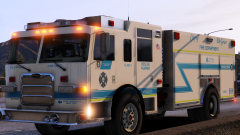
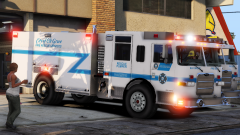
After it was apparent to city council that the apparatus existing in the City of Elk Grove, a tender was put out to various fire apparatus manufacturers. After receiving a competitive and attractive offer from Pierce Manufacturing, the City of Elk Grove purchased eight new fire apparatus for this year, and an additional to be purchased for next year.
After eight months of waiting, three of the new apparatus arrived, with the other five being transported to the city shortly.
Elk Grove Rescue Engine 4 is seen here responding to it's second call - a medical aid.
Recommended Comments
Join the conversation
You can post now and register later. If you have an account, sign in now to post with your account.