Skip to content
View in the app

A better way to browse. Learn more.

LCPDFR.com

A full-screen app on your home screen with push notifications, badges and more.

To install this app on iOS and iPadOS
  1. Tap the Share icon in Safari
  2. Scroll the menu and tap Add to Home Screen.
  3. Tap Add in the top-right corner.
To install this app on Android
  1. Tap the 3-dot menu (⋮) in the top-right corner of the browser.
  2. Tap Add to Home screen or Install app.
  3. Confirm by tapping Install.

Coming Soon®©™ Fellas

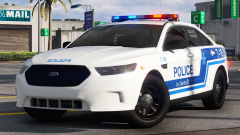
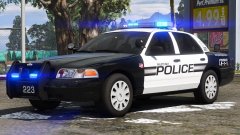
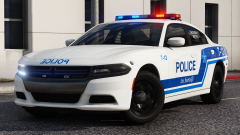
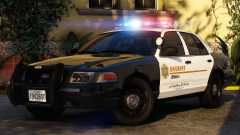
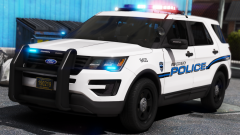
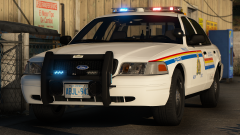
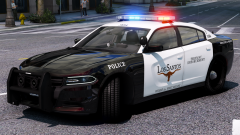
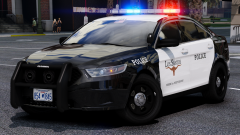
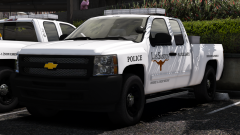
Screenshots by @Chappie plates by @Slendis

The red/blue on the lightbar looks a little dark because of the Visualsettings dont worry boys. Also all cars come with a hubcap/SSV version besdies the FPI cars because I hate FPI hubcaps.


https://imgur.com/a/YTX2n

There are the rest of the screenshots since there is only a 4mb limit now for some reason.


271590_20180121132819_1.thumb.png.79ffce7b2520ce923be1b39b381c7ff6.png


Credit

t0y, KevinDV, Carper, Matt, Iansonwheels, HDGamerzPC, Gump, OfficerFive0, Slendis, Chappie, RobertTM, MrDudeMan

Copyright

© t0y, Slendis, Chappie

From the album:

t0y's Projects

· 127 images

Account

Navigation

Search

Search

Configure browser push notifications

Chrome (Android)
  1. Tap the lock icon next to the address bar.
  2. Tap Permissions → Notifications.
  3. Adjust your preference.
Chrome (Desktop)
  1. Click the padlock icon in the address bar.
  2. Select Site settings.
  3. Find Notifications and adjust your preference.