Skip to content
View in the app

A better way to browse. Learn more.

LCPDFR.com

A full-screen app on your home screen with push notifications, badges and more.

To install this app on iOS and iPadOS
  1. Tap the Share icon in Safari
  2. Scroll the menu and tap Add to Home Screen.
  3. Tap Add in the top-right corner.
To install this app on Android
  1. Tap the 3-dot menu (⋮) in the top-right corner of the browser.
  2. Tap Add to Home screen or Install app.
  3. Confirm by tapping Install.

Updated-er Base

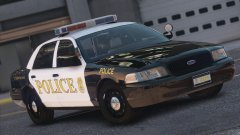
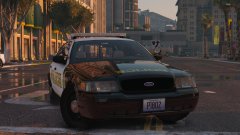
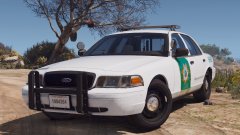
I've worked much more on the base and redid many parts that were off from before, on the other hand: the sheriff department is finished except for minor bugs and livery work. The updated-er base now looks like this:

20171105211513_1.thumb.jpg.eb0f389a4ac406453cfd9f5111249dbd.jpg

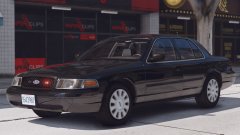
With re-done headlights:

20171104004149_1.thumb.jpg.e837a829286468c837aa722480918a4a.jpg

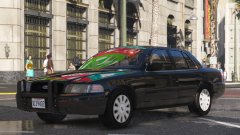
And other work all around: (Darkened interior), matte mirrors, darker plastics all around (etc).

20171104003001_1.thumb.jpg.669bca15e9ad41441af9f935b2cc563f.jpg20171105210648_1.thumb.jpg.785d73eeb104aca725d51e47792f3ca1.jpg

From the album:

Robert's GTA V Endeavors

· 117 images

Account

Navigation

Search

Search

Configure browser push notifications

Chrome (Android)
  1. Tap the lock icon next to the address bar.
  2. Tap Permissions → Notifications.
  3. Adjust your preference.
Chrome (Desktop)
  1. Click the padlock icon in the address bar.
  2. Select Site settings.
  3. Find Notifications and adjust your preference.