
Skip to content
View in the app

A better way to browse. Learn more.

LCPDFR.com

A full-screen app on your home screen with push notifications, badges and more.

To install this app on iOS and iPadOS
  1. Tap the Share icon in Safari
  2. Scroll the menu and tap Add to Home Screen.
  3. Tap Add in the top-right corner.
To install this app on Android
  1. Tap the 3-dot menu (⋮) in the top-right corner of the browser.
  2. Tap Add to Home screen or Install app.
  3. Confirm by tapping Install.

Booked

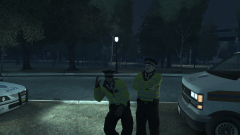
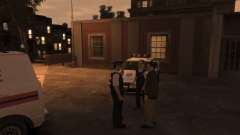
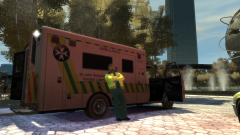
Just as the Coldplay set started, the GLP happened to chance upon a rogue fake ticket seller, plying his wares for the last day of the festival. Obviously, this was illegal, so in a less-intense approach than the wanted man from earlier, two officers and independent security agents came up, arrested him, and put him in a van. He was booked into Cerveza Heights for the time being, but was given a radio for him to listen to - it turned out he was a fan of Coldplay in the end.

5a037db70bcd9_GTAIV2017-10-0315-04-34-414.thumb.png.354dafb54639b19ba902af4024edea1d.png

Copyright

© Hullian111

From the album:

Operation - Ashahara

· 30 images

Account

Navigation

Search

Search

Configure browser push notifications

Chrome (Android)
  1. Tap the lock icon next to the address bar.
  2. Tap Permissions → Notifications.
  3. Adjust your preference.
Chrome (Desktop)
  1. Click the padlock icon in the address bar.
  2. Select Site settings.
  3. Find Notifications and adjust your preference.