
Skip to content
View in the app

A better way to browse. Learn more.

LCPDFR.com

A full-screen app on your home screen with push notifications, badges and more.

To install this app on iOS and iPadOS
  1. Tap the Share icon in Safari
  2. Scroll the menu and tap Add to Home Screen.
  3. Tap Add in the top-right corner.
To install this app on Android
  1. Tap the 3-dot menu (⋮) in the top-right corner of the browser.
  2. Tap Add to Home screen or Install app.
  3. Confirm by tapping Install.

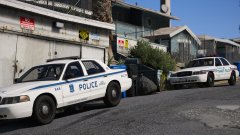
'Possible 187'

'LSPD were dispatched to a strange smell coming from a Regina's trunk in Davis, Los Santos'


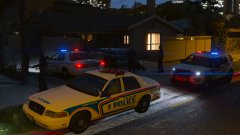
Been practicing some more, and I needed some new LSPD cars. I'm going to work in a mixture of LED lightbars and DRO2 ones. 


I had hoped the officers torches would've shone when I took this picture, but they didn't. 


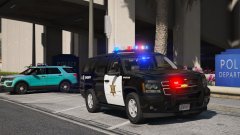
My sheriff vectors are currently under test still. 

Copyright

© Jedahdiah

From the album:

Jed's Models

· 124 images

Account

Navigation

Search

Search

Configure browser push notifications

Chrome (Android)
  1. Tap the lock icon next to the address bar.
  2. Tap Permissions → Notifications.
  3. Adjust your preference.
Chrome (Desktop)
  1. Click the padlock icon in the address bar.
  2. Select Site settings.
  3. Find Notifications and adjust your preference.