Skip to content
View in the app

A better way to browse. Learn more.

LCPDFR.com

A full-screen app on your home screen with push notifications, badges and more.

To install this app on iOS and iPadOS
  1. Tap the Share icon in Safari
  2. Scroll the menu and tap Add to Home Screen.
  3. Tap Add in the top-right corner.
To install this app on Android
  1. Tap the 3-dot menu (⋮) in the top-right corner of the browser.
  2. Tap Add to Home screen or Install app.
  3. Confirm by tapping Install.

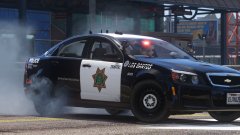
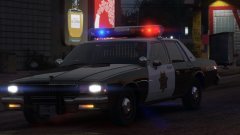
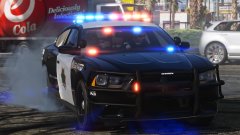
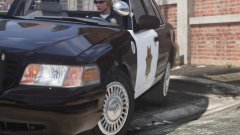
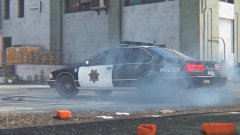
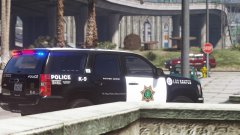
"Frozen" LSPD '90 Chevrolet Caprice 9C1!!!

More old school!


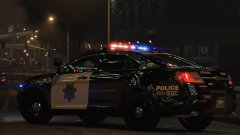
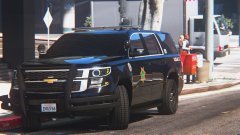
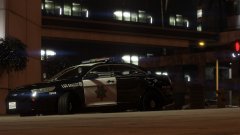
My "Frozen" retro livery on Lundy's 1990 Chevrolet Caprice 9C1!!!  I like it!!!!!!!  (For context, look at me previous images if you haven't seen them yet).  I'm thinking I'll make this a Frozen mega pack including a retro pack for old school vehicles and a modern pack for modern vehicles.


Enjoy!  1990 Chevrolet Caprice 9C1 by Lundy!


GALkRmw.jpg

bDUdGPT.jpg

rDTulSv.jpg

yXvzjaa.jpg

8ilXrtw.jpg

NDG1xuX.jpg

ToDto56.jpg

kknyrEe.jpg

Fo6Qr1V.jpg

AquSf6G.jpg

8JlA5pb.jpg

kMtsVfd.jpg

XPNVNiY.jpg

02brTkX.jpg

GVSljDG.jpg


Can't wait for Lundy's "Aero" Vic to come out.

Credit

Lundy

From the album:

Los Santos Views

· 120 images

Account

Navigation

Search

Search

Configure browser push notifications

Chrome (Android)
  1. Tap the lock icon next to the address bar.
  2. Tap Permissions → Notifications.
  3. Adjust your preference.
Chrome (Desktop)
  1. Click the padlock icon in the address bar.
  2. Select Site settings.
  3. Find Notifications and adjust your preference.