

Skip to content
View in the app

A better way to browse. Learn more.

LCPDFR.com

A full-screen app on your home screen with push notifications, badges and more.

To install this app on iOS and iPadOS
  1. Tap the Share icon in Safari
  2. Scroll the menu and tap Add to Home Screen.
  3. Tap Add in the top-right corner.
To install this app on Android
  1. Tap the 3-dot menu (⋮) in the top-right corner of the browser.
  2. Tap Add to Home screen or Install app.
  3. Confirm by tapping Install.

Here They Come...

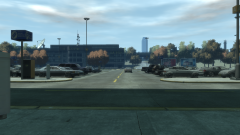
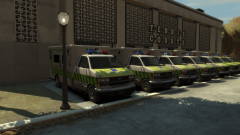
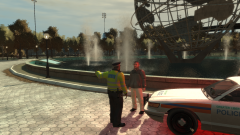
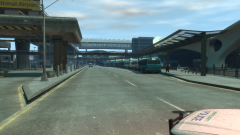
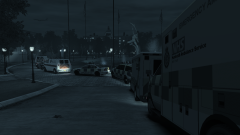
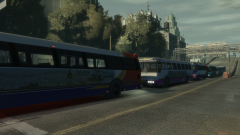
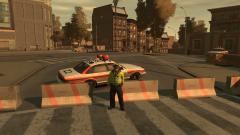
Friday had come, and also, so did the concertgoers. The buses in the Yellow Pick-Up Point were almost immediately packed as soon as the doors were opened, watched on by armed GLP and British Transport Police officers. Behind the sudden road closure, bus enthusiasts had the time of their lives photographing the buses at the pick-up point, some getting waves from the concertgoers on the bus, who were ready to embrace the first day of a big weekend.59c8252b1881d_GTAIV2017-09-2421-57-26-779.thumb.png.2e8e79c0df32ba701b35695606668897.png59c82534da8ac_GTAIV2017-09-2421-56-30-499.thumb.png.bbcba88c5f94bb6c83453d0630315380.png59c8253d8eb54_GTAIV2017-09-2421-56-54-584.thumb.png.7a0740e16b271a21738ab9eb644c035e.png

Copyright

© Hullian111
  • From the album:

    Operation - Ashahara

    · 30 images

    Account

    Navigation

    Search

    Search

    Configure browser push notifications

    Chrome (Android)
    1. Tap the lock icon next to the address bar.
    2. Tap Permissions → Notifications.
    3. Adjust your preference.
    Chrome (Desktop)
    1. Click the padlock icon in the address bar.
    2. Select Site settings.
    3. Find Notifications and adjust your preference.