




Skip to content
View in the app

A better way to browse. Learn more.

LCPDFR.com

A full-screen app on your home screen with push notifications, badges and more.

To install this app on iOS and iPadOS
  1. Tap the Share icon in Safari
  2. Scroll the menu and tap Add to Home Screen.
  3. Tap Add in the top-right corner.
To install this app on Android
  1. Tap the 3-dot menu (⋮) in the top-right corner of the browser.
  2. Tap Add to Home screen or Install app.
  3. Confirm by tapping Install.

The long awaited sequel has arrived....

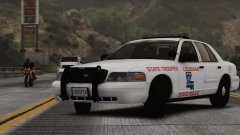
For those who loved Gump's KSCO Tahoe in the non-ELS days, I present my first project which is currently undergoing testing but should be released in a few days. To pretty much sum up how this started. Gump made me learn zmodeler in order to make an ELS version of it, and damn did it come out nice!(better if I say so myself, *cough* :thumbsup:)

Credit

Screenshot taken by Steinberg

From the album:

NeOn's Pics

· 18 images

Account

Navigation

Search

Search

Configure browser push notifications

Chrome (Android)
  1. Tap the lock icon next to the address bar.
  2. Tap Permissions → Notifications.
  3. Adjust your preference.
Chrome (Desktop)
  1. Click the padlock icon in the address bar.
  2. Select Site settings.
  3. Find Notifications and adjust your preference.