



By Hullian111
- 615 views
- View Hullian111's images
Sweet Christ, for the third time in a row, I think I've actually sorted it out now.
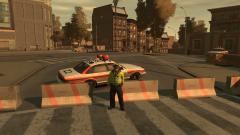
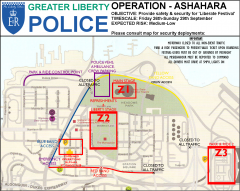
One night in May, the heads of the city's emergency services went over details of how the event will be co-ordinated, security-wise. While the bands would be protected by typical event security, the Greater Liberty Police were also asked to provide security on-site between the three zones marked out on this here map.
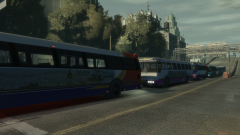
The 'Liberate Festival' was ticketed via a 'wristband' system. Festivalgoers would recieve tickets and wear wristbands that were either Red, Yellow or Blue. This indicated where they would enter on the park and ride buses on stops around the city - Zone 3, for example, is a pick-up point for international festivalgoers, those who had cars in the Dukes area, or those who had taken the elevated train to the airport pick-up zone. The Yellow entrance also provided access for crew members, allowing them to exit and enter Meadows Park quick and clean.
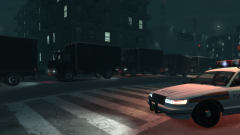
The combined command area was the GLP station and Cerveza Heights hospital on Livingston Street. Some police would be stationed in the command room in the station, while paramedics and doctors would be on hand to assist those who had become sick or injured in some way. The purple square, however, was where most of the police cars and ambulances not in used would be stationed - Livingston Street was a Blue entry point, after all.
Sounds complicated? I agree - this took an hour or so to arrange. But it's been on my mind for a little while - I know, I can't add the crowds properly, but I'll try and emulate that, and follow this plan in-game, if I can.
Recommended Comments
Join the conversation
You can post now and register later. If you have an account, sign in now to post with your account.