
Skip to content
View in the app

A better way to browse. Learn more.

LCPDFR.com

A full-screen app on your home screen with push notifications, badges and more.

To install this app on iOS and iPadOS
  1. Tap the Share icon in Safari
  2. Scroll the menu and tap Add to Home Screen.
  3. Tap Add in the top-right corner.
To install this app on Android
  1. Tap the 3-dot menu (⋮) in the top-right corner of the browser.
  2. Tap Add to Home screen or Install app.
  3. Confirm by tapping Install.

Never Forget

Sorry this is belated. I had no access to my computer, or even a minute's silence, as I was on my way home.


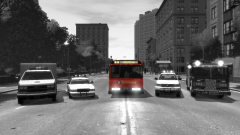
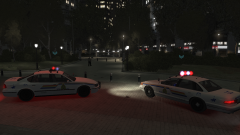
On the morning of 7th of July 2005, London was bombed where it hurt most - it's transport system. 52 people were killed, and many more were injured. It has been twelve years since that date, and I decided it would be best to commemorate that as best as I could.


Never forget 7/7. 52 died in 4 attacks. We won't give in!

Copyright

© Hullian1111

From the album:

Hullian111's Gratuitous Misadventures

· 66 images

Account

Navigation

Search

Search

Configure browser push notifications

Chrome (Android)
  1. Tap the lock icon next to the address bar.
  2. Tap Permissions → Notifications.
  3. Adjust your preference.
Chrome (Desktop)
  1. Click the padlock icon in the address bar.
  2. Select Site settings.
  3. Find Notifications and adjust your preference.