


San Andreas State Trooper Collision

By t0y
- 2,683 views
- View t0y's images
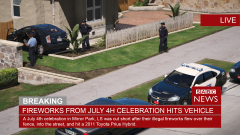
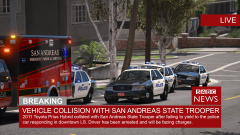
7/3/2017 (Los Santos) - At around 3:43PM a San Andreas State Trooper received a call of a burglary in Rockford Hills, Los Santos. The Los Santos Police department, being short handed due to a large shooting incident in downtown Los Santos passed the call along to the State Police who promptly sent an officer from Troop E, their Los Santos troop. The officer responded code 3 with lights and sirens activated, with a normal respond by the books. As the officer crossed through a red light a 2011 Toyota Prius Hybrid license plate 46EEK67 ignored his lights and sirens and continued in front of him, the officer without being able to stop in time hit the vehicle and they slid into a wall of a nearby house. The driver of the Prius is in critical condition at LSU Hospital, and the officer walked away from minor scrapes. The driver will be charged with reckless driving, and failure to yield to an emergency vehicle, among other chargers TBD.


Recommended Comments
Join the conversation
You can post now and register later. If you have an account, sign in now to post with your account.