Skip to content
View in the app

A better way to browse. Learn more.

LCPDFR.com

A full-screen app on your home screen with push notifications, badges and more.

To install this app on iOS and iPadOS
  1. Tap the Share icon in Safari
  2. Scroll the menu and tap Add to Home Screen.
  3. Tap Add in the top-right corner.
To install this app on Android
  1. Tap the 3-dot menu (⋮) in the top-right corner of the browser.
  2. Tap Add to Home screen or Install app.
  3. Confirm by tapping Install.

Welcome Home (;

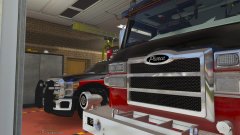
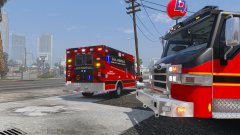
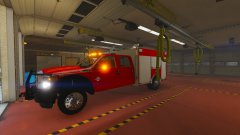
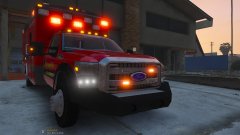
Post a pic of this truck a while back, haven't really messed with it until now. Added some lighting and other features. Glad to finally have the ELS TKD issue fixed as well!


Stay tuned for more


(this particular truck is a little project for a clan) 

20170525174738_1.jpg

20170525174759_1.jpg

20170525174809_1.jpg

20170525174816_1.jpg

Copyright

© D-Town Productions 2017

From the album:

DcK's stuff

· 113 images

Account

Navigation

Search

Search

Configure browser push notifications

Chrome (Android)
  1. Tap the lock icon next to the address bar.
  2. Tap Permissions → Notifications.
  3. Adjust your preference.
Chrome (Desktop)
  1. Click the padlock icon in the address bar.
  2. Select Site settings.
  3. Find Notifications and adjust your preference.