


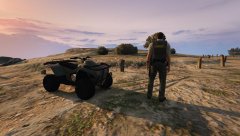
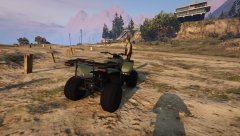
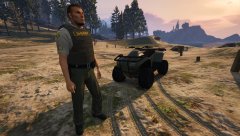
Version 21 stage 7 - Pic1

By rukrim
- 477 views
- View rukrim's images
-Changed bumpers
-New headlights made from scratch with zmodeler3(Angel eye light concept)
-New brakelights made from scratch with zmodeler3
-New wheels converted
Release date: not decided yet. i need to get organized with my life and finish fixing more things that are pending.
Planned releases:
- Civilian version
- Hunting version with template support
- Police version with template support
- [DEV] model for public edition
Credit
(All appropiate credits will be added in the future)
Recommended Comments
Join the conversation
You can post now and register later. If you have an account, sign in now to post with your account.