
Skip to content
View in the app

A better way to browse. Learn more.

LCPDFR.com

A full-screen app on your home screen with push notifications, badges and more.

To install this app on iOS and iPadOS
  1. Tap the Share icon in Safari
  2. Scroll the menu and tap Add to Home Screen.
  3. Tap Add in the top-right corner.
To install this app on Android
  1. Tap the 3-dot menu (⋮) in the top-right corner of the browser.
  2. Tap Add to Home screen or Install app.
  3. Confirm by tapping Install.

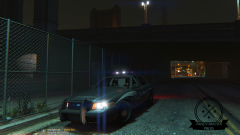
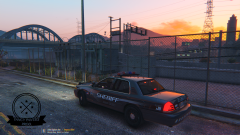
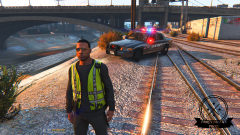
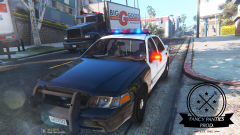
WIP VUV-08 FP

There is light at the end of the tunnel! Please prepare for a huge amount of equipment varieties inculding several sorts of interiors, different gun racks, pushbar configurations, antenna version, multiple interior lightbars, prisoner partitions and many many more.
Soon availble in your fleet-store center.

Happy patrolling duty!
FancyPanties Development 

Copyright

© FancyPanties Development ®

From the album:

Fancy Panties Development

· 13 images

Account

Navigation

Search

Search

Configure browser push notifications

Chrome (Android)
  1. Tap the lock icon next to the address bar.
  2. Tap Permissions → Notifications.
  3. Adjust your preference.
Chrome (Desktop)
  1. Click the padlock icon in the address bar.
  2. Select Site settings.
  3. Find Notifications and adjust your preference.