


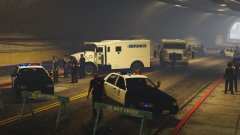


Well, it looks like that the Cheetah Classic didn't get too far

By Carrythxd
- 891 views
- View Carrythxd's images

Apparently the son of the guy who I sold the car to had taken the car from his dad to show it off to a friend of his after he had seen the new exotic car sitting in the front yard. After driving the car around LS for a little bit they had decided to start heading towards the Yellow Jack Inn near Sandy Shores to get a few drinks. A few hours after that, they had left the bar and started heading towards the town of Grapeseed. They got pass the McKinzie airfield before they crashed off the bridge just outside of the town of Grapeseed, the front of the car was badly damaged along with the hood and roof after the car had driven through the wooden fence and had landed on its roof in the ditch.
The CHP suspects that the driver had been driving under the influence of alchohol which resulted in the crash. The passenger had fled the scene before the CHP arrived but I'm sure he'll be caught in the next few hours, not really sure why he fled, though..
Anyway, the lesson here is, don't drink and drive, especially if you're driving a f-ing rare sports car!
But, the good news is that the owner of the vehicle asked me if I could repair, or atleast attempt to repair, the car and then give it back to him, I of course agreed to attempt the repair because why not, it's a wonderful car to be working on! The car has been towed back to an impound lot in LS and I should be able to pick it up from there in the next few days so stay tuned for more updates on it!
Recommended Comments
Join the conversation
You can post now and register later. If you have an account, sign in now to post with your account.