Skip to content
View in the app

A better way to browse. Learn more.

LCPDFR.com

A full-screen app on your home screen with push notifications, badges and more.

To install this app on iOS and iPadOS
  1. Tap the Share icon in Safari
  2. Scroll the menu and tap Add to Home Screen.
  3. Tap Add in the top-right corner.
To install this app on Android
  1. Tap the 3-dot menu (⋮) in the top-right corner of the browser.
  2. Tap Add to Home screen or Install app.
  3. Confirm by tapping Install.

DUI

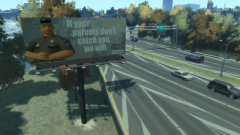
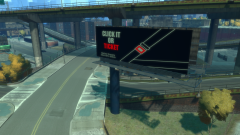
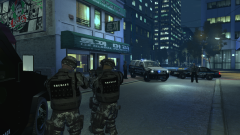
Over the weekend, the Harbor County Department of Public Safety resumed its regular anti drunk driving public awareness campaign as we approach the Fourth of July holiday. The DPS is specifically focusing on underage drinking this year with a new set of billboards throughout the city. HCSO Deputies will be enforcing DUI laws with zero tolerance so remember, if you're over the limit or underage, you're under arrest. Period. Please drink responsibly and enjoy your holiday safely.

From the album:

HCDPS

· 76 images

Account

Navigation

Search

Search

Configure browser push notifications

Chrome (Android)
  1. Tap the lock icon next to the address bar.
  2. Tap Permissions → Notifications.
  3. Adjust your preference.
Chrome (Desktop)
  1. Click the padlock icon in the address bar.
  2. Select Site settings.
  3. Find Notifications and adjust your preference.