
Skip to content
View in the app

A better way to browse. Learn more.

LCPDFR.com

A full-screen app on your home screen with push notifications, badges and more.

To install this app on iOS and iPadOS
  1. Tap the Share icon in Safari
  2. Scroll the menu and tap Add to Home Screen.
  3. Tap Add in the top-right corner.
To install this app on Android
  1. Tap the 3-dot menu (⋮) in the top-right corner of the browser.
  2. Tap Add to Home screen or Install app.
  3. Confirm by tapping Install.

Black Helicopters, man!

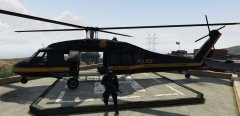
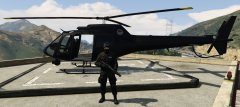
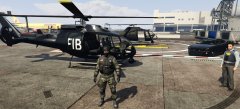
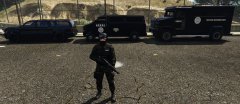
The NOOSE's TRU air fleet includes Annihilator Gunships and the fabled Black Mavericks. Used by TRU Operatives to rain fire from the sky or make dynamic entrances on unsuspecting threats to American safety.

(Peds and Vehicles integrated into the dispatch system.)

Credit

Yard1 for ped textures (NOOSE TRU CADPAT available at LCPDFR.com).

Account

Navigation

Search

Search

Configure browser push notifications

Chrome (Android)
  1. Tap the lock icon next to the address bar.
  2. Tap Permissions → Notifications.
  3. Adjust your preference.
Chrome (Desktop)
  1. Click the padlock icon in the address bar.
  2. Select Site settings.
  3. Find Notifications and adjust your preference.