Skip to content
View in the app

A better way to browse. Learn more.

LCPDFR.com

A full-screen app on your home screen with push notifications, badges and more.

To install this app on iOS and iPadOS
  1. Tap the Share icon in Safari
  2. Scroll the menu and tap Add to Home Screen.
  3. Tap Add in the top-right corner.
To install this app on Android
  1. Tap the 3-dot menu (⋮) in the top-right corner of the browser.
  2. Tap Add to Home screen or Install app.
  3. Confirm by tapping Install.

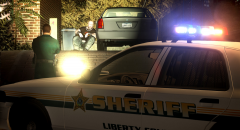
Blocking off the back...

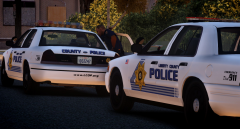
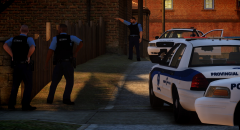
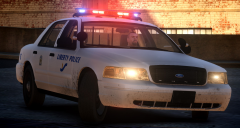
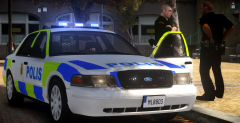
After watching season 2 of '19-2' I just had to do something Canadian, and from Quebec but I didn't want to do a SPVM (Montreal Police Service) based livery since I've already done that. So... I decided to make a Sûreté du Québec (SQ) - The Quebec Provincial Police - based livery but since I hate the colors I changed them into the New Orleans colors and used the New Orleans star. It's kind of a Frankenstein I guess... Uniforms are slighlty based off the Montreal Police (SPVM) old blue uniforms.

SL_zps22wgbkro.png

SL%202_zpsfeush29y.png

From the album:

W.I.P's and random pictures

· 80 images

Account

Navigation

Search

Search

Configure browser push notifications

Chrome (Android)
  1. Tap the lock icon next to the address bar.
  2. Tap Permissions → Notifications.
  3. Adjust your preference.
Chrome (Desktop)
  1. Click the padlock icon in the address bar.
  2. Select Site settings.
  3. Find Notifications and adjust your preference.