



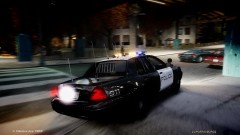


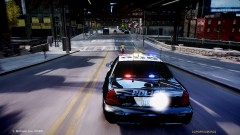

Busy night for local law enforcement

By republic21
- 719 views
- View republic21's images
On 4-30-12 at about 0030 hours an officer was following a van suspected to be soliciting to prostitution. As the van slowed to pick up a female prostitute, a hispanic male adult approached the female. As the prostitute attempted to enter the van the male pulled her away from the van and began to assault her. Officers immediately initiated a stop on the suspect. The hispanic male drew a firearm and pointed it at officers. The officers fired killing that suspect. The female prostitute drew a firearm, ran to the van and entered it. Responding officers attempted to stop the van and lost it moments later. At about 0130 hours Officers located the van and conducted a felony hot stop. When the driver exited the vehicle he drew a weapon and fired striking one of the officers. Officers called for back up and returned fire killing the suspect. The female prostitute was later located in a grey sports car with a known gang member in an area near mohawk ave. Officers attempted to stop the suspects and they gave chase. The chase stopped at a nearby gas station where the gang member shot at officers. Officers returned fire killing the suspect. The female attempted to flee the scene on foot. When Officers caught up to her she drew a firearm and pointed it at officers. The officers again fired killing the female.
Recommended Comments
Join the conversation
You can post now and register later. If you have an account, sign in now to post with your account.