


![[WIP] NOPD style CVPI model](http://s3-gallery.int-cdn.lcpdfrusercontent.com/gallery/album_33/sml_gallery_523_33_193696.jpg)
![[REL][Update] CVPI_LCP_WJ V1.1](http://s3-gallery.int-cdn.lcpdfrusercontent.com/gallery/album_33/sml_gallery_523_33_127858.jpg)
![[REL] Liberty City Police FCVPI V1.0WJ](http://s3-gallery.int-cdn.lcpdfrusercontent.com/gallery/album_33/sml_gallery_523_33_254604.jpg)
![[Update 2] My first car mod.](http://s3-gallery.int-cdn.lcpdfrusercontent.com/gallery/album_33/sml_gallery_523_33_127032.jpg)

![[WIP] Liberty City Police livery](http://s3-gallery.int-cdn.lcpdfrusercontent.com/gallery/album_33/sml_gallery_523_33_3462.jpg)
(UPDATE) My first car mod.

By NicolaiB
- 1,386 views
- View NicolaiB's images
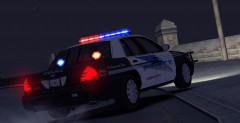
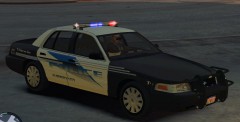
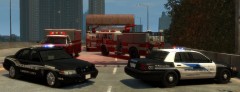
Expanding on the image I showed earlier this week, now with two Whelen Avengers in the rear window, it may be released depending on future response.
Still needs to be done: Mirror lights, grille lights.
A massive thank you to EVI for being extremely helpful, also a thank you to Corleone who managed to get my ELS adventure going.
Another massive thank you to CJ24 for sending several lights to me.
Another reason for why I love the community here, thank you all.
Recommended Comments
Join the conversation
You can post now and register later. If you have an account, sign in now to post with your account.