Liberty County Fire Department Utility 833 Ready For Snow [EROLE-WIP] Share https://www.lcpdfr.com/gallery/image/44675-liberty-county-fire-department-utility-833-ready-for-snow-erole-wip/ Share on Facebook Share on X {lang="reddit_text" More sharing options... Followers Features - Extra_10 Snow Plow - GoLight to Illuminate the Rear of the truck - Winch in the trunk bed


![Liberty County Fire Department Utility 833 Ready For Snow [EROLE-WIP]](http://s3-gallery.int-cdn.lcpdfrusercontent.com/gallery/album_1963/gallery_37637_1963_572681.png "Liberty County Fire Department Utility 833 Ready For Snow [EROLE-WIP]")
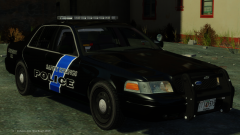

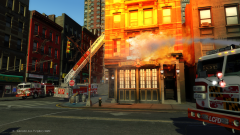
![Warning.. This May Cause Tightness in Pants [EROLE-WIP]](http://s3-gallery.int-cdn.lcpdfrusercontent.com/gallery/album_1963/sml_gallery_37637_1963_248581.png)
![Liberty County Fire Department Utility 833 Ready For Snow [EROLE-WIP]](http://s3-gallery.int-cdn.lcpdfrusercontent.com/gallery/album_1963/sml_gallery_37637_1963_572681.png)
![Liberty County Fire Department Battalion Chief Tahoe W/ Command Light [EROLE-WIP]](http://s3-gallery.int-cdn.lcpdfrusercontent.com/gallery/album_1963/sml_gallery_37637_1963_6531.png)
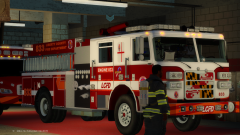
![New Ambulance for Liberty County Fire Department (EROLE-WIP]](http://s3-gallery.int-cdn.lcpdfrusercontent.com/gallery/album_1963/sml_gallery_37637_1963_310962.png)
![[WIP] EROLE Liberty County Fire Department](http://s3-gallery.int-cdn.lcpdfrusercontent.com/gallery/album_1963/sml_gallery_37637_1963_603106.png)


Recommended Comments
Join the conversation
You can post now and register later. If you have an account, sign in now to post with your account.