Skip to content
View in the app

A better way to browse. Learn more.

LCPDFR.com

A full-screen app on your home screen with push notifications, badges and more.

To install this app on iOS and iPadOS
  1. Tap the Share icon in Safari
  2. Scroll the menu and tap Add to Home Screen.
  3. Tap Add in the top-right corner.
To install this app on Android
  1. Tap the 3-dot menu (⋮) in the top-right corner of the browser.
  2. Tap Add to Home screen or Install app.
  3. Confirm by tapping Install.

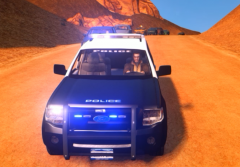
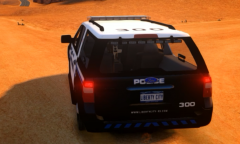
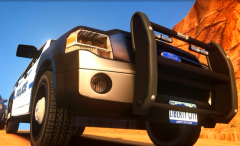
2012 Expedition High Quality In-Game Pic

A picture of the HQ 2012 expedition I've been in the process of converting for the past month or so, after many errors and problems HERE IT IS! Future AST setup will be released on another modeling site due to the lack of support from lcpdfr. This is an official model of Liberty City Response Services (from -snip- )

Website link removed. Advertisements are forbidden on LCPDFR.com. ~Staff

From the album:

Ready For Something New LCPDFR?

· 3 images

Account

Navigation

Search

Search

Configure browser push notifications

Chrome (Android)
  1. Tap the lock icon next to the address bar.
  2. Tap Permissions → Notifications.
  3. Adjust your preference.
Chrome (Desktop)
  1. Click the padlock icon in the address bar.
  2. Select Site settings.
  3. Find Notifications and adjust your preference.