




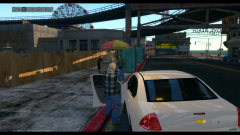


These are the difficult choices we make, everyday...

By Romaine323
- 738 views
- View Romaine323's images


Friday, November 20th, 2014 @ 11:57 p.m.
Officers of the Liberty City Police Department were faced with a difficult decision: A suicidal elderly woman held a weapon to her own head while standing in the street. Concern citizens tried to talk her out of it, but she just stared at them, unresponsive. The police were called out. Upon arrival, officers tried to calm her down. After 10 minutes of negotiation, she tried to turn her gun on officers. She paid with her life.
Cars by bxbugs123, peds by F5544.
Recommended Comments
Join the conversation
You can post now and register later. If you have an account, sign in now to post with your account.