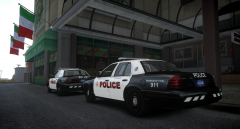
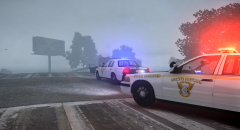
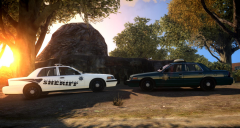
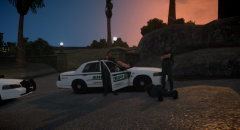
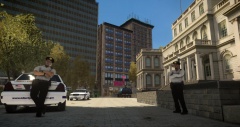
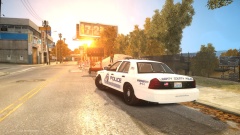
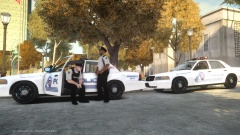
They make me feel better... Share https://www.lcpdfr.com/gallery/image/42355-they-make-me-feel-better/ Share on Facebook Share on X {lang="reddit_text" More sharing options... Followers I love these cruisers, huge thanks to Danne0202 - a good friend of mine - for making these for me. Liveries are made by me based off Pierce County Sheriff, by far one of my favorite Sheriff's Departments. The FS Vista features the ELS v8 DROT system.
Mikofiticus Members November 20, 201411 yr Author stats I love it. Not a fan of the Vista, but I think I'd totally use that.
Crizby Members November 20, 201411 yr Author stats I love it. Not a fan of the Vista, but I think I'd totally use that. Thanks! Me personally love the Vista, by far one of my top 3 light-bars. Rotators all the way ;)
McAwesome6934 Members November 20, 201411 yr Author stats Tell your friend to release these! These are sooo sex.
Crizby Members November 20, 201411 yr Author stats Tell your friend to release these! These are sooo sex. Glad to hear that you like them! As of now, they're private models.
McAwesome6934 Members November 20, 201411 yr Author stats Also he might want to make the fender wrap connect to the ram bar...
Crizby Members November 20, 201411 yr Author stats Also he might want to make the fender wrap connect to the ram bar... Yes I did notice that as well :)
Atillea Members January 16, 201511 yr Author stats is it just me or is the wrapping part of the brushguard not touching the other part
Crizby Members January 16, 201511 yr Author stats is it just me or is the wrapping part of the brushguard not touching the other part Yes, the fenderwrap did not connect with the pushbar itself, however that issue has now been fixed.
Atillea Members January 16, 201511 yr Author stats Yes, the fenderwrap did not connect with the pushbar itself, however that issue has now been fixed. oh okay. I like the cars alot! :)





Recommended Comments
Join the conversation
You can post now and register later. If you have an account, sign in now to post with your account.