


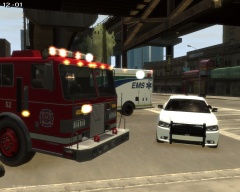


Alberta Sheriff On Scene of Single Vehicle MVA Involving an Officer

By KN1IGHT
- 431 views
- View KN1IGHT's images
An Alberta Sheriff driving on the Expressway, noticed the unmarked Charger that had collided with a Guard Rail.
After calling it in, he proceeded to see if the driver of the car was injured.
Upon getting to the vehicle, no one was in the car. He called it in, and did find out an EMS Unit following the car, transported the officer to hospital.
His current condition is unknown, as the driver was ejected from the vehicle.
Sheriffs will be investigating to determine the cause of the collision. Road conditions and speed are expected to be factors.
2013 Charger (Sheriff) & 2010 Charger (Unmarked) both assembled/ modeled by KRI, and are currently private, unreleased models.
Recommended Comments
Join the conversation
You can post now and register later. If you have an account, sign in now to post with your account.