[WIP] LFD Firetruck V2.1 Share https://www.lcpdfr.com/gallery/image/39955-wip-lfd-firetruck-v21/ Share on Facebook Share on X {lang="reddit_text" More sharing options... Followers Finally made a firetruck!! I think it turned out great, made it to match my F-450 Ambulance Custom interior fitted by myself using various parts from different models, I think it turned out great! Please let em know what you think! Stinkace2
iPayforyourEBT Members September 17, 201411 yr Author stats I think you should send it to me to take screenshots, or you could just release it now.
googleplex2010 Members September 17, 201411 yr Author stats i think you should release them all in a lcfd pack.
ThatOneHick Members September 17, 201411 yr Author stats That looks awesome! Is some of those parts from GTA SA models?
IronicRainbow Members September 18, 201411 yr Author stats https://www.youtube.com/watch?v=HA1mbZ_MMh8


![[WIP] LFD Firetruck V2.1](http://s3-gallery.int-cdn.lcpdfrusercontent.com/gallery/album_722/gallery_3386_722_586308.jpg "[WIP] LFD Firetruck V2.1")
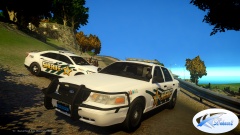
![[WIP] Liberty Sheriff Pack V2.0k](http://s3-gallery.int-cdn.lcpdfrusercontent.com/gallery/album_722/sml_gallery_3386_722_211032.jpg)
![[WIP] LFD Pack V2.0](http://s3-gallery.int-cdn.lcpdfrusercontent.com/gallery/album_722/sml_gallery_3386_722_405374.jpg)
![[WIP] LFD Firetruck V3.1](http://s3-gallery.int-cdn.lcpdfrusercontent.com/gallery/album_722/sml_gallery_3386_722_124278.jpg)
![[WIP] LFD Firetruck V2.1](http://s3-gallery.int-cdn.lcpdfrusercontent.com/gallery/album_722/sml_gallery_3386_722_586308.jpg)
![[WIP]2008 F 450 Fire Rescue V2.0](http://s3-gallery.int-cdn.lcpdfrusercontent.com/gallery/album_722/sml_gallery_3386_722_289991.jpg)
![[WIP]2008 F 350 AmbulanceV1.0](http://s3-gallery.int-cdn.lcpdfrusercontent.com/gallery/album_722/sml_gallery_3386_722_442495.jpg)
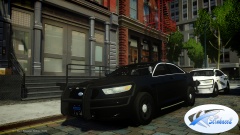
![[WIP] 2014 LSO Taurus Utlilty V2.1c](http://s3-gallery.int-cdn.lcpdfrusercontent.com/gallery/album_722/sml_gallery_3386_722_460216.jpg)


Recommended Comments
Join the conversation
You can post now and register later. If you have an account, sign in now to post with your account.